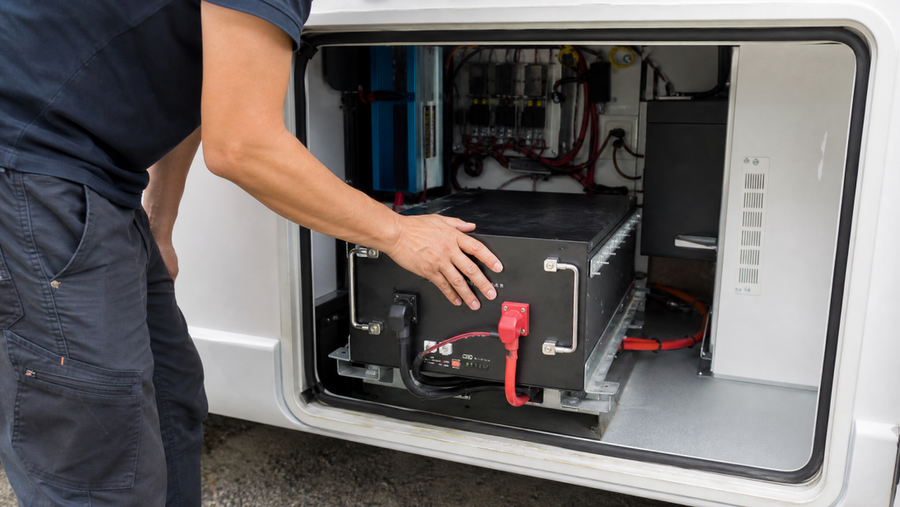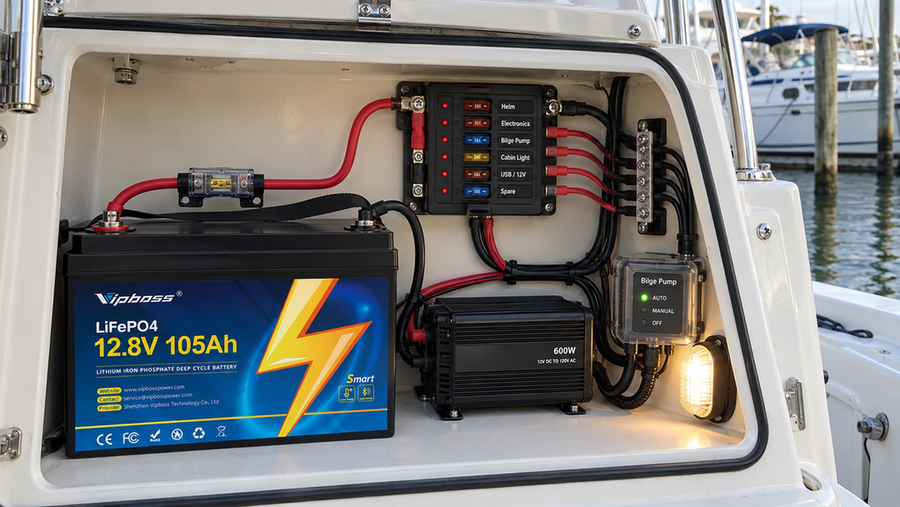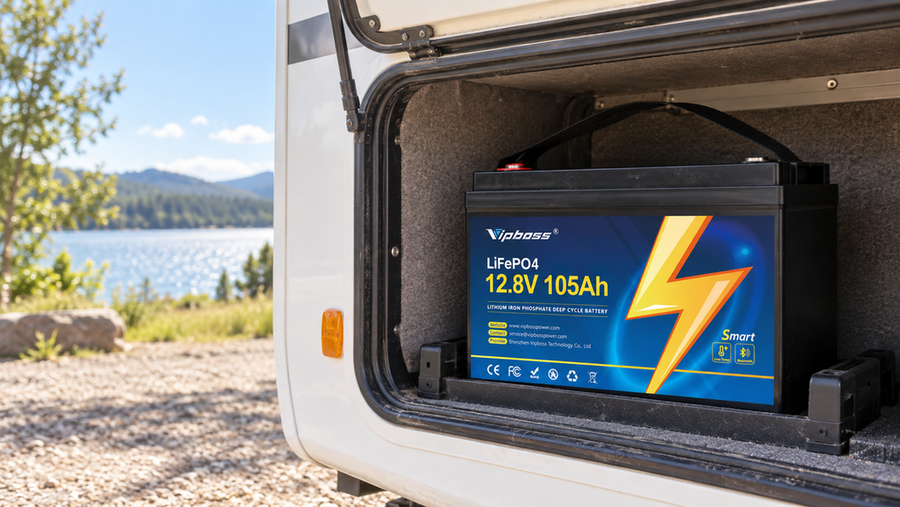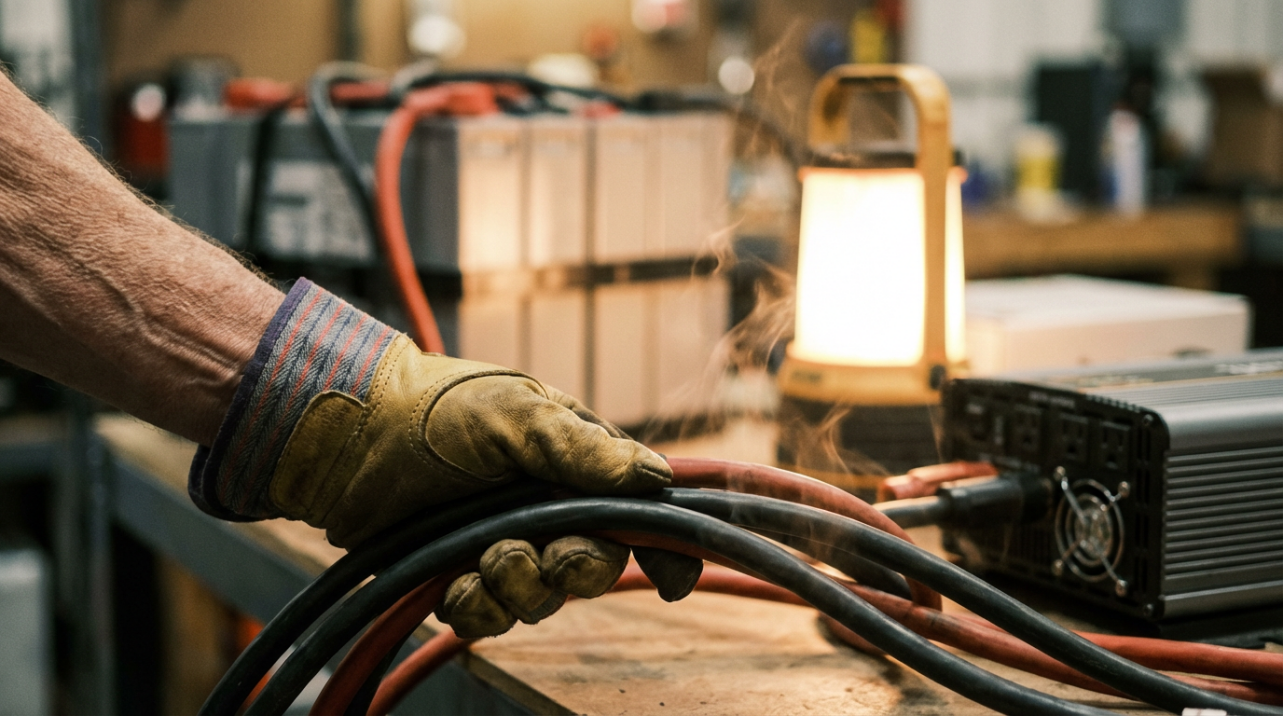

A quick, careful touch test under load can reveal when your cables are running dangerously hot so you can fix undersized wires, bad terminations, or poor protection before anything melts or burns.
You crank up the inverter, the fridge hums, maybe a microwave or power tool kicks in, and something feels off: a faint warm plastic smell or battery leads that seem hotter than they should. In real-world lithium and off-grid upgrades, the problems that cook systems are often not the batteries, but skinny or badly terminated cables that quietly overheat every time the load climbs. This guide shows how to use a simple touch test, plus a few smart sizing habits, to tell whether your wiring is safe or needs an urgent upgrade.
Why Cable Thickness Is a Big Deal in Lithium and Off-Grid Upgrades
Cables are more than just copper and insulation; their cross-sectional area decides how much current they can carry without turning into heaters. Guidance on choosing the right cable size makes the point clearly: undersized conductors run hot, drop voltage, waste energy, and can start fires, while cable that is too large becomes expensive and difficult to route without adding much benefit.
Lithium banks make this sizing issue sharper. A 12 V lithium battery feeding a 1,000 W inverter can easily demand close to 100 A of DC current, and higher voltage systems simply trade more volts for fewer amps. One safety-focused wiring checklist for lithium systems shows typical pairings such as a 12 V/1,000 W inverter with about a 125 A breaker and 2 AWG cable, and 24 V/2,000 W or 48 V/4,000 W setups using smaller-gauge wire because the higher voltage cuts current for the same power. All of those examples are built on a simple rule: wire gauge must match both the expected current and the run length so conductors stay cool and protection devices can interrupt safely.
Standards back this up. In the United States, the National Electrical Code treats correct conductor sizing and coordinated overcurrent protection as fundamental safety requirements, not optional nice-to-haves. Similar thinking shows up in specialist standards for mobile installations: for example, modern caravan and motorhome rules require lithium batteries to be mechanically secured and separated from living spaces, and they assume wiring is robust enough to survive vibration, fault currents, and emergency situations without becoming an ignition source.

When you retrofit from lead-acid to lithium, or drop a larger inverter into an older system, all of this can collide. The original cables may have been just adequate for a smaller load; now they are forced to carry higher continuous currents, often over the same route, inside the same hot compartments. That is where a quick touch test becomes an invaluable early warning.
The Simple Touch Test: Fast Reality Check for Your Wires
The touch test is not a substitute for calculations or code, but it is a powerful way to translate ampacity tables into something your senses understand. Under normal, heavy use, a correctly sized cable should be cool to mildly warm along its length, with no single joint noticeably hotter than everything else and no hot-plastic smell hanging in the air.
When to Run the Test
Pick a moment when the system is carrying a steady, realistic high load. In a small off-grid cabin, that might be running lights, the fridge, and a few outlets while the inverter supplies close to its typical working level. In an RV or van, it might be the air conditioner or induction cooktop plus background loads. Let things run for several minutes so temperatures stabilize rather than reacting to a brief surge.
This is also the right time to think in terms of current, not just watts on a nameplate. A 12 V/1,000 W inverter lives in roughly the 80–100 A DC range; a 48 V/3,000 W inverter draws on the order of 60–70 A. A good lithium wiring guide explicitly uses this kind of calculation for sizing, noting that around 3,000 W at 48 V means roughly 63 A in steady operation before factoring in inverter efficiency and surge. If your system is built near those levels, you should assume serious current is flowing whenever you do the touch test.
How to Touch-Test Safely
Treat the system as live and potentially dangerous. Before you reach near any wiring, verify there are no exposed metal conductors where you will touch, and wear safety glasses and insulated gloves if there is any chance of slips or unexpected movement. Lithium and stationary battery standards emphasize that battery work is effectively energized work; even when voltage is only in the 12-48 V range, high fault currents and metal tools can produce violent arcs and molten metal.
With the system under load, use the back of your fingers or hand to lightly slide along the cable insulation, never across bare terminals. Work from the battery or busbar outward toward the inverter, charge controller, and DC distribution, giving each major run a few seconds. Pay close attention anywhere the cable size changes, where lugs are crimped or bolted, and at fuses, breakers, and busbars. If you feel anything hotter than comfortably warm, or if the insulation feels soft, sticky, or gives off a smell, stop, power down as designed, and do not restart until you have found and corrected the cause.
Many professional installers add an infrared thermometer to this routine. During commissioning, they will let the system carry a moderate load, then scan lugs, busbars, and cable runs. One lithium battery wiring guide specifically recommends checking that lug temperatures stay similar across strings and that any hot joint be treated as a red flag, with the system de-energized before tightening or re-crimping. Your fingers can often feel trouble first, but an IR thermometer lets you quantify it and compare one joint to the next.

Reading the Results
You can think of the touch test as a quick map of where resistance is turning into heat.
What you feel |
Likely situation |
Recommended action |
Cable and fittings cool or just gently warm |
Load and sizing broadly in line with expectations |
Keep monitoring during heavier loads and after any modifications. |
Cable warm but one lug, breaker, or splice is hot |
Local high resistance from a loose or bad joint |
De-energize, inspect, clean, re-crimp or re-torque, then re-test. |
Cable and fittings uncomfortably hot, smell present, or insulation softening |
Wire undersized, overloaded, or badly installed |
Reduce load immediately and plan a cable and protection upgrade. |
A key nuance is that a single hot spot is usually a termination problem, not a cable-size problem.

A uniformly hot run, especially one that gets hotter over distance, points more toward undersized wire, excessive current, or a run that is too long for its gauge.
From Touch Test to Proper Cable Sizing
Once the touch test tells you something is wrong, you need to translate that into concrete design changes. That means looking at three things together: the load, the route, and the hardware.
Check the Load and the Path
Start with the real loads your system sees. In practice, that is not just the inverter rating, but the combination of appliances you actually run at the same time. It is easy to size for occasional 2,000 W peaks and then discover that the cabin, shop, or RV runs close to that level for hours on hot afternoons or cold nights.
Next, trace the route. Long DC runs between the battery and inverter, or between the battery and DC load centers, increase resistance and voltage drop. Guides on choosing the right cable size stress that longer cables carrying the same current often need a larger cross-sectional area to avoid excessive voltage drop and heating, and that installation factors like ambient temperature, grouping with other cables, and insulation can force you to upsize even further.
Finally, identify the actual cable size and type. In many retrofits, old cables were chosen for a smaller lead-acid bank and a modest inverter. When a higher-capacity lithium bank and a more powerful inverter go in, the cabling is suddenly underrated. Measuring conductor diameter or checking printed markings, then comparing against manufacturer data and ampacity charts, is the only way to be sure you are not trusting yesterday's copper with today's loads.
Match Gauge, Protection, and Installation
Wire gauge, breaker or fuse rating, and installation conditions all need to match. Around the 100 A level, one lithium safety checklist aimed at off-grid storage systems pairs a 12 V/1,000 W inverter with roughly a 125 A breaker and 2 AWG cable, while 24 V/2,000 W and 48 V/4,000 W setups can use smaller gauges like 4 AWG or 6 AWG for similar currents, assuming reasonable run lengths and cooling. The exact numbers depend on your route and environment, but the principle is fixed: the protective device must be sized to protect the cable, not the other way around.
Protection placement matters too. Best practice is to place fuses or breakers on the positive conductor as close to the power source as practical, at minimum between battery and charge controller and between the controller and inverter or loads, so a short anywhere downstream cannot turn the entire cable into a heating element. That same lithium checklist recommends selecting breakers and fuses according to both the expected current and the cable's rated ampacity, reinforcing the idea that properly sized copper is your first line of defense.
Even specialized fire-resistive products cannot rescue undersized or poorly protected conductors. Fire-rated communications cables such as DragonSkin are designed to maintain critical signals during intense heat and water exposure, and they achieve this by combining robust materials with rigorous testing. The lesson for DC power cabling is direct: if you want cables that stay safe under stress, you must combine appropriate wire size, correct terminations, and coordinated overcurrent protection rather than expecting any single feature to compensate for bad design.
Oversizing has its own downside. The same cable-sizing guidance notes that unnecessarily large conductors quickly increase cost and make installation more difficult without adding much benefit once heating and voltage drop are already under control. For most off-grid and retrofit work, the sweet spot is accurate load calculation plus a modest allowance for future growth, not doubling cable size just in case or gambling on whatever wire happens to be on the shelf.
Typical Cable Mistakes That Make Wires Run Hot
Several recurring habits show up in overheating lithium and off-grid systems.
One is reusing old cable from a lead-acid setup after upgrading to a higher-power lithium bank and inverter. The new system can deliver much higher sustained currents, but the copper cross-section has not changed, so every high-load period pushes the existing cable closer to its thermal limit. The touch test often reveals this by making long main runs feel uniformly hot, especially near the inverter and main breakers.
Another common problem is poor terminations. Safety guidance on electrical equipment maintenance is blunt: never repair cuts with insulating tape, do not use twisted splices or taped connector blocks, and replace damaged sections rather than patching them. High-resistance joints come from nicked strands, undersized lugs, weak crimps, and loose screws, and they tend to manifest as small sections or fittings that run far hotter than the surrounding cable. Any time the touch test finds a hot lug while the adjacent cable is much cooler, assume a termination fault and correct it with proper tools and torque, not another turn of a hand wrench.
Installation conditions quietly undermine many otherwise good designs. Cables buried under insulation, bundled tightly with others, routed near engine exhausts, or run through sealed compartments all lose the ability to cool naturally. Cable-sizing references explicitly apply derating for grouping and elevated ambient temperatures, and ignoring those factors can turn correct on paper into too hot in service. If a run in a crowded conduit feels hotter than an identical run in free air, the touch test is telling you that the installation itself is part of the problem.
Finally, mechanical issues in mobile and retrofit environments matter. In caravans, motorhomes, and similar connectable electrical installations, modern standards require batteries to be mechanically restrained and separated from living areas, and it is implicit that cabling must withstand vibration and shock without chafing or pulling loose. A cable that has rubbed against a sharp edge or moved in a grommet for thousands of miles may still read fine on a meter, but the damaged insulation and deformed copper can create a hot spot under load that your fingers will pick up long before a breaker trips.

When the Touch Test Says "Fix It"
If your cables or terminations are uncomfortably hot under normal load, treat that as a clear warning, not a quirk. The first short-term step is to reduce load or limit duty cycle so the conductors run cooler while you plan a fix. The lasting solution is to confirm the actual cable size, rerun your current and voltage-drop calculations with honest load assumptions, and upsize conductors, shorten runs, or both, while coordinating fuses and breakers with the new ampacity.
Whenever a hot joint or cable has been found, de-energize the system in a controlled way before working on it. Documented battery safety practices stress that these systems should be treated as energized electrical work with risks of shock, arc flash, fire, and chemical exposure, and they call for task-specific procedures, tools, and training. In practical terms, that means opening the appropriate breakers, confirming voltage is near zero at the work point, and only then re-crimping, re-routing, or replacing cables.
For larger systems, code-governed installations, or anything tied into a building's wiring, bringing in a licensed electrician or experienced off-grid installer is a good investment. The National Electrical Code continues to evolve to account for new technologies and known failure modes, and a professional familiar with both the code and lithium-specific practices can make sure your cable upgrades do more than just feel cooler to the touch.
FAQ
Is it normal for DC cables to get warm?
Mild warmth is expected when high currents flow continuously, especially near inverters and main breakers. What is not normal is cable or fittings that are hot enough to be uncomfortable to touch, softening insulation, or any sign of discoloration or odor. When the touch test reveals those symptoms, you should assume either the wire is undersized for the load, the run is too long for its gauge, or a termination is failing, and act accordingly.
Can I rely on touch instead of doing cable calculations?
No. The touch test is a fast, intuitive safety screen, but it only sees problems under the specific conditions you happen to test. Proper design still requires calculating current, considering run length and installation conditions, and choosing wire size that meets both ampacity and voltage-drop limits, just as detailed in guides on choosing the right cable size and in standards such as the National Electrical Code. Use your fingers and an IR thermometer to find trouble, then back that up with solid numbers.
How often should I perform a touch test on my system?
Run the touch test during initial commissioning, again after the first few days of real use, and any time you change hardware or notice new smells, noises, or inverter behavior. It is also worth doing during seasonal extremes, such as a hot summer afternoon when everything is running hard. Over the long term, combining these quick physical checks with periodic visual inspections for damage and loose fittings gives you a reliable feel for how your cabling ages.
A lithium or off-grid upgrade is supposed to make your life easier, not add a hidden fire risk. Get in the habit of touching your cables under real load, listening to what that warmth is telling you, and backing up your instincts with correct wire sizing and protection. When the copper runs cool and quiet, you know your power upgrade is not just bigger; it is safer and more efficient too.