
Your panels are not "lazy" at noon; in most cases your Battery Management System (BMS) and smart electronics deliberately slow or stop charging to protect the batteries, wiring, and inverter when voltage, temperature, or state of charge hits their limits.
You watch your app at midday, the sun is blazing, yet the battery charge flat-lines or even dips and it feels like your expensive solar array has decided to take lunch off. In real systems this is a common pattern: panels may be hot, the battery nearly full, grid voltage high, and the protections in your BMS and inverter quietly step in, trading a little lost solar for a lot of system safety and longevity. The goal here is to show you what is happening, how to tell normal protection from real faults, and what upgrades or settings will keep your off-grid or hybrid system delivering strong, reliable noon power.
When Noon Should Be Your Power Peak
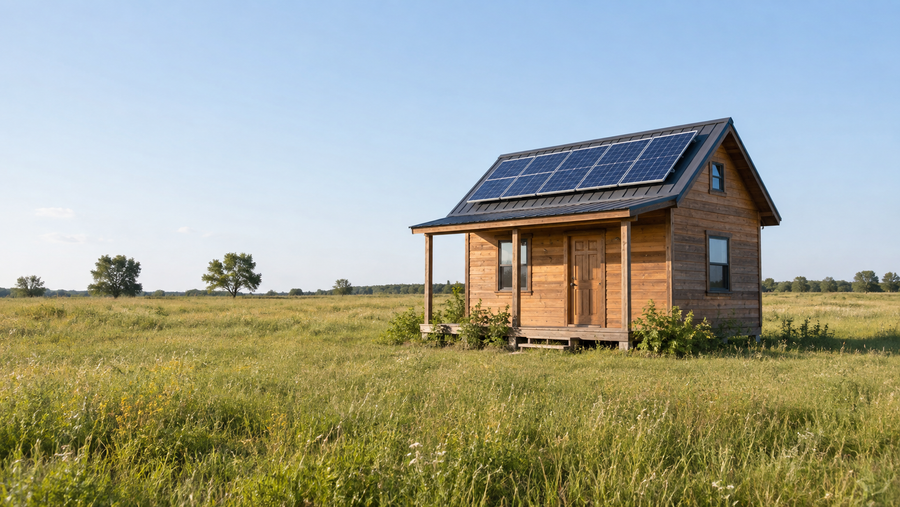
Under normal conditions, noon is where a healthy system shines. Many rooftop arrays reach their highest output between roughly 10:00 AM and 2:00 PM, when the sun is high and rays hit the panels more directly. Peak sun hour analysis shows that this midday window is where you earn most of your daily kilowatt-hours, especially in high-resource states across the Southwest and central United States.
At the same time, storage experts emphasize that solar power is non-dispatchable: you cannot make the sun brighter on demand, so batteries are used to shift that big midday bulge into the evening peak. The result is that your system is trying to do two things at once at noon.

Panels want to push hard, while the BMS, charge controller, and inverter want to keep your batteries and wiring inside safe voltage and current limits. When protections win that tug-of-war, you see a flat or falling charge rate right when you expect a maximum.
The BMS: Silent Gatekeeper of Your Noon Power
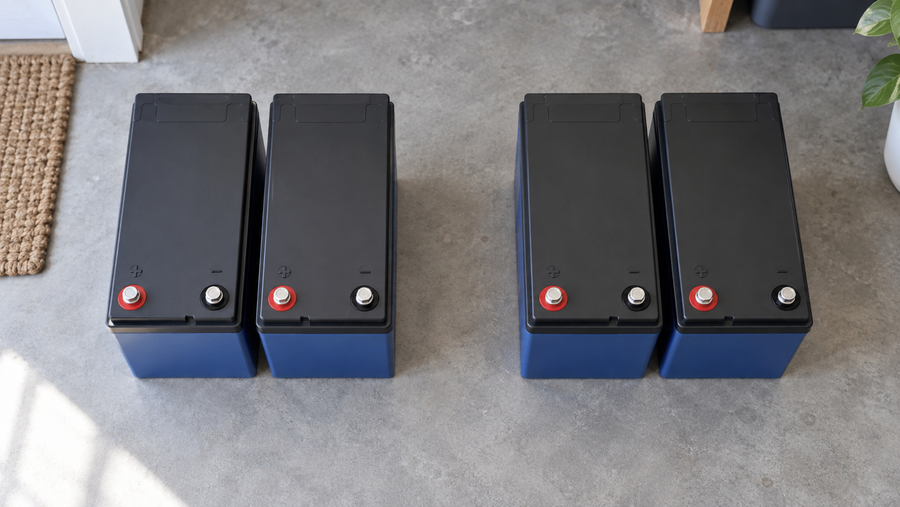
In any serious off-grid or hybrid setup, the BMS is the brain and bodyguard of your battery bank. Off-grid systems rely on deep-cycle batteries paired with a robust BMS to track state of charge, protect against overcharge during the day, and prevent deep discharge at night so essential loads keep running through each solar cycle.
In many home batteries and portable power stations, the BMS works alongside a charge controller and inverter. Panels produce DC power, the charge controller regulates it, the battery stores it, and an inverter converts it to usable AC. Smart control electronics sit in the middle, watching voltages and currents and deciding when to accept charge, when to float, and when to shut charging down.
The upside is huge. Safety-focused sources stress that overcharging or running damaged batteries can trigger fires, and a significant share of solar-kit fires start in the kit itself rather than the house. A conservative BMS that refuses extra charge at noon might be the only thing standing between you and a battery that is overheated, over-pressurized, or one wiring fault away from a catastrophic failure. The downside is that this protection looks, on your phone screen, exactly like "my panels stopped charging."
How a Protective BMS Stops Charging
A well-behaved BMS or charge controller has several reasons to shut down charging at noon, even in perfect sun. Overload or overcharge protection can intentionally halt current when the battery is full or when there are too many loads hanging off the system. The controller waits until the battery voltage drops back into a safe band before allowing charging to resume.
Battery health is another factor. If the cells are aging or internally damaged, they can no longer hold a charge reliably. In that case, the controller may still allow charging, but you see the state of charge climb during the morning and then fall faster than expected in the afternoon because the battery cannot retain energy. That pattern often points to a battery that needs replacement rather than a problem with the panels themselves.
In off-grid designs, the BMS also prioritizes keeping critical loads alive through the night rather than squeezing in every last watt at noon. That means it may shed non-essential loads or limit how much power you can draw when state of charge drops too low, creating the opposite problem later in the day: your panels might be capable of high output, but the BMS insists on guarding what is left in the bank instead of letting you run every appliance at once.
Three Noon Shutdown Patterns and What They Mean
Batteries Topping Out by Late Morning
One of the most common "mysteries" in healthy systems is a charge curve that climbs nicely through mid-morning, then flattens at or before noon even though the sky is clear. With modern lithium packs, this is often a good sign. Many home batteries in the 13.5 kilowatt-hour class are designed to store surplus daytime energy and cover night loads. A typical 5 kilowatt residential system can produce roughly 20 to 25 kilowatt-hours on a sunny day, which is enough to fill a battery of that size before lunch if your daytime consumption is modest.
When the pack reaches its target state of charge, the BMS or charge controller transitions from bulk charging to a gentle top-off or float stage, then eventually stops taking current entirely. From the panel's perspective, the load suddenly disappears. Voltage rises, current drops close to zero, and your display may show only a trickle of power despite full sun. Nothing is wrong here; the upgrade opportunity is to match your storage and loads to your array. If you routinely hit 100 percent before noon, a bigger battery bank, additional critical loads scheduled for midday such as well pumps or EV charging, or a grid export path can put that extra solar to work.
Heat, Voltage, and Midday Curtailment
Temperature and grid voltage are the other big drivers of noon surprises. Studies converge on the same point: as panels heat up above their lab test temperature around 77°F, their voltage drops and output power falls, typically by about 0.3 to 0.5 percent for every degree of temperature rise. On a hot roof where panel surfaces can reach around 140°F, that can mean roughly 10 to 15 percent less power than the nameplate rating even in clear sun.
That heat effect alone does not stop charging, but it narrows the operating window. The hotter the modules run, the closer their working voltage gets to the upper and lower limits your BMS, controller, and inverter will accept. Designers and installers often recommend simple thermal design upgrades for this reason, such as leaving a generous air gap under roof-mounted panels and favoring light-colored roofing that runs much cooler than dark shingles. Research shows that better ventilation and reflective surfaces can lower module temperature by around 18°F and recover a noticeable chunk of lost power.

In grid-tied hybrids, high grid voltage can crush noon output even more dramatically. For example, one documented system in southern Spain saw midday grid voltage rise toward 252 V compared with a nominal 230 V. The inverter responded by cutting back or shutting off solar production to stay within over-voltage protection limits, producing a saw-tooth midday power graph unless a big load such as a dryer was turned on to pull the voltage down. That is not strictly a BMS issue, but it is the same pattern: smart electronics prioritizing safety and grid rules over squeezing out every watt at noon.
Real Faults: When It Is Not Just the BMS
Not every noon drop is normal protection. Documentation from solar and battery manufacturers points to mundane but serious causes for panels that stop charging: physical damage from branches or debris, wildlife chewing through wiring, loose or corroded connectors, and accumulated dirt or tarps blown onto panels. In many systems, dirty glass or new shading from tree growth can cut production significantly without any electronic fault at all.
Troubleshooting guides stress that faulty or malfunctioning kits should be powered off immediately because poorly behaving electronics are a major fire risk. Panels can age, develop microcracks, or suffer water ingress, all of which reduce performance. In these situations, a BMS or controller might still be doing its job correctly, but there is simply not enough healthy solar input for it to work with.
Quick Reference: Noon Symptom, Likely Cause, and Fix
Noon symptom |
Likely cause |
Role of BMS / electronics |
Practical response |
Battery hits 100% before or around noon |
Storage sized smaller than daily solar yield |
Stops accepting charge to prevent overcharge |
Add storage, shift big loads to midday, or enable export |
Sudden midday drop in perfect sun |
High panel temperature or high grid voltage |
Inverter and controllers curtail to stay within voltage limits |
Improve ventilation, check grid voltage with an installer |
No charging despite sun, low state of charge |
Wiring damage, shading, failed controller or battery |
May shut down or show error codes when unsafe conditions are detected |
Power down, inspect, and call a qualified technician |
How to Diagnose a Noon Non-Charging Problem Safely
Start by watching trends, not single snapshots. Use your monitoring app or inverter interface to compare several clear days. If you consistently reach full state of charge by late morning and the charge rate then drops while loads stay modest, you are likely seeing normal overcharge protection in action. That is a design and usage question, not an emergency.
Next, confirm that your panels are actually able to produce power. Simple checks include using a multimeter on the panel or string outputs to verify that open-circuit voltage is in line with the nameplate rating, and making sure the charge controller's indicators show an active charging state in sun. If voltage is extremely low despite bright light, or if the controller shows fault codes, there may be wiring or component failures between the array and the battery.
Visually inspect the array and wiring from a safe position. Obstructions and damage are common culprits. Look for fallen branches, plastic sheeting, or other debris on the panels, along with visible cracks, punctures, or discolored hot spots. Examine accessible wiring for chewed insulation or loose, corroded terminations. Anything that looks burnt, melted, or charred is a stop-now signal. Turn the system off following the manufacturer's shutdown procedure and bring in a professional.
Finally, pay attention to heat and grid conditions. If you are in a hot region and the roof feels scorching to the touch, assume that modules are running far above 100°F. Industry sources note that output can drop 10 to 25 percent under such conditions, which reduces charge current even when everything else is healthy. In a grid-tied hybrid, ask your electrician or installer to log grid voltage at midday; if it spikes toward the upper limit allowed by your inverter, you may need utility or configuration changes rather than a battery replacement.
Designing a Noon-Proof System for Off-Grid Resilience
If your diagnosis points to "everything is working, but noon is leaving power on the table," then it is time to adjust the design. Storage planning resources suggest starting with a clear tally of your loads and goals: how many days of autonomy you need, which circuits must stay alive during outages, and how much grid independence you want. Many residential batteries are sized to hold roughly one to five days of typical usage for critical loads, which is a useful benchmark when deciding whether your pack is simply too small for the array you have.
Improving thermal performance is another high-impact upgrade. Research shows that panels frequently run 20 to 40°F hotter than the surrounding air, especially on dark, poorly ventilated roofs. Raising the racking a few extra inches to create a stronger chimney effect, favoring lighter roofing materials where possible, and avoiding tight building-integrated layouts that trap heat can bring panel temperature closer to the ideal zone around 59 to 95°F. Cooler modules deliver higher voltage and more power, which means your BMS can do its work at lower stress levels.
Electronics quality matters as well. Many experts emphasize using high-quality inverters and charge controllers with good maximum power point tracking, clear status reporting, and conservative protection logic. These devices not only protect your batteries from overcharge and deep discharge but also optimize when to store energy, when to run loads directly from solar, and when to lean on the grid if you have one. In jurisdictions where roof coverage is constrained by fire-access rules that limit how much of the roof can be covered, pairing a right-sized array with a well-managed battery and possibly a portable power station gives you far more usable energy than simply cramming extra panels onto the roof.
Finally, embrace load shifting as a core strategy, not an afterthought. Time-of-use billing and net billing policies such as California's NEM 3.0 make midday energy cheap to export but valuable to use on-site later. Batteries shine in this environment by capturing low-value midday solar and delivering it during expensive evening hours. Schedule heavy but flexible loads such as water heating, laundry, or EV charging into the late morning and early afternoon so your BMS sees room to accept charge instead of slamming into its upper limit every day.
FAQ
Is it bad if my BMS keeps stopping charging at noon?
Not necessarily. If the battery is routinely reaching a healthy full state of charge and your monitoring shows stable voltages, the BMS is probably doing exactly what it was designed to do: prevent overcharge and extend battery life. Problems arise when the BMS is cutting off charge while the battery is clearly not full, or when you see error codes, abnormal heating, or rapid loss of stored energy. In those cases, you may be looking at battery degradation, wiring faults, or failing electronics that warrant professional service.
Should I bypass or "relax" BMS limits to get more solar at noon?
That is almost always a bad idea. Safety-oriented guidance on solar batteries repeatedly warns that running without proper overcharge and overload protection increases the risk of fires, damaged cells, and shortened battery life. A safer way to capture more midday solar is to adjust the system around the BMS: add storage, improve cooling, schedule more loads into the noon window, or work with an experienced installer to tune settings within the manufacturer's limits.
How do I know when to call a professional?
Call an experienced solar technician if you see scorch marks, melted insulation, persistent fault codes on your inverter or charge controller, or if the battery fails to hold charge even after a reset cycle. Troubleshooting guides recommend powering down malfunctioning systems immediately rather than experimenting, because the combination of high DC voltage, lithium chemistry, and roof-mounted wiring can go wrong quickly when components are damaged.
A solar system that will not charge at noon is often not broken at all; it is simply obeying the rules your BMS, controller, and inverter enforce to keep your power upgrade safe and long-lived. Understand those rules, size your storage and loads to fit your midday solar, and treat protective cutoffs as a design signal rather than a nuisance. Do that, and noon becomes your ally again, turning harsh sun into steady, reliable off-grid power.
References
- https://8msolar.com/solar-panel-efficiency-vs-temperature/
- https://www.energyshieldnh.com/what-time-of-day-do-solar-panels-start-working/
- https://www.greentechrenewables.com/article/how-does-heat-affect-solar-panel-efficiencies
- https://hustonsolar.com/troubleshooting-common-problems-with-your-solar-electrical-panel-system/
- https://www.solarnplus.com/how-temperature-impacts-solar-cell-efficiency/
- https://www.solarreviews.com/blog/peak-sun-hours-explained
- https://aurorasolar.com/blog/storing-solar-energy-everything-you-need-to-know/
- https://blueravensolar.com/blog/what-does-off-peak-mean-for-solar-system-owners/
- https://www.bvrenergy.com.au/blog/7-reasons-your-solar-system-stopped-generating-electricity/
- https://diysolarforum.com/threads/inverter-drawing-power-from-batteries-during-peak-hours-sunny-day.48430/