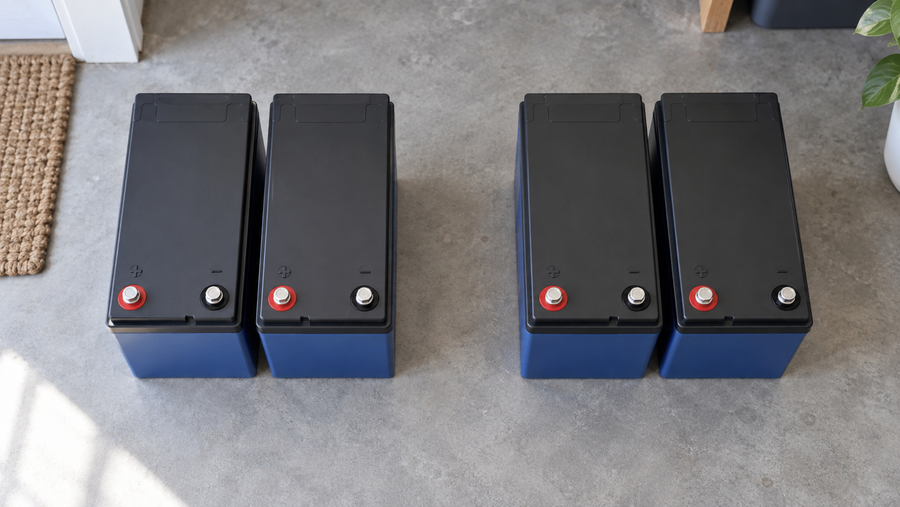

Power cuts out at “50%” because that number is only a best guess, not a direct measurement. If the gauge’s math, assumptions, or sensors are off, the real reserve can already be gone even while the display still looks safe.
Picture this: you are boondocking or running a retrofitted cart up a hill, the display is parked comfortably around 50%, and then everything dies in an instant. No warning chime, no gentle fade, just a hard shutdown that makes your brand‑new lithium bank or retrofit feel like a waste of money. The good news is that when systems are properly tested and the SOC monitor is tuned to the actual battery and loads, it routinely unlocks a noticeable chunk of extra usable energy instead of cutting you off early, and it does so without abusing the cells. This guide walks through why the gauge lied, how to prove what really happened, and what to change so that “50%” actually means you still have power in reserve.
When “50%” Isn’t Really Half a Battery
On any off‑grid system or EV retrofit, the percentage you see on the screen is a software estimate of state of charge (SoC)—the ratio of remaining charge to the pack’s maximum storable charge—not a direct measurement of “half a tank” of electrons as defined in electrochemistry references on state of charge and state of health for batteries state of charge. In that formal definition, SoC depends both on how much charge you have taken out and on the maximum charge the battery can now hold.
That maximum, often called Qmax, shrinks as the pack ages and is captured in the state of health metric, which compares current maximum capacity to the original rating. Imagine a battery bank that was 100 Ah when new but has faded to about 80 Ah after years of hard service; if the monitor still thinks it is a 100 Ah pack and counts down from that value, then removing 50 Ah looks like 50% used on the screen but actually consumes about 62.5% of what the pack can now store. In that situation, when the display says 50% remaining, the chemical reality is already much closer to the shutdown threshold than the gauge suggests.

This is not theoretical nitpicking. Engineering reports on EV packs describe cases where batteries have degraded to around 80% of their original usable capacity, yet the dash continues to show 100% after a full charge because the gauge logic assumes a “young” pack. When you scale the same basic behavior down into an RV, cabin, or cart with aging batteries, the result is the same: the system thinks you are at a safe mid‑state, but the battery is already near the low‑voltage cutoff.
You can see the same mismatch at the small‑device scale. Some phones will sit on 1% for hours or jump from 1% back into the 90% range after a restart because the percentage is just a model trying to infer charge from voltage, current, and history rather than tapping a literal fuel float, as users have documented in real‑world battery‑percentage complaints on iOS devices battery percentage is highly inaccurate. In that kind of situation, it is no surprise that a less sophisticated off‑grid monitor or legacy gauge wired into a lithium retrofit can be tens of percentage points off in the middle of the range.

Why SOC Monitors Get It Wrong
How Monitors Actually Guess State of Charge
Most serious battery monitors estimate charge flow in and out of the pack by integrating current over time, a technique known as coulomb counting, which works especially well with lithium cells because of their high charge efficiency and low self‑discharge coulomb counting. The monitor effectively keeps a running tally of amp‑hours added and removed, then divides the remaining tally by its assumed maximum capacity to display a percentage.
Coulomb counting is powerful but not magic. If the current sensor is off by even a small percentage, if the monitor’s clock drifts, or if it never gets to see a true full charge or full discharge, that internal tally drifts away from reality. To fight this, many fuel‑gauge chips include learning functions and require periodic calibration cycles where the battery goes from full to empty so the model can re‑anchor its estimate against what the pack actually delivered over a complete run.
Cheaper or older indicators often skip all that and simply infer SoC from terminal voltage. That can kind of work for a single known chemistry under stable conditions, but it breaks badly once you change chemistries, temperatures, or loads. Voltage‑only fuel gauges assume that a given pack voltage corresponds to a fixed percentage, yet real‑world data from film and TV power gear shows nominal “12 V” systems built from lithium‑ion, nickel‑metal hydride, and lead‑acid packs can span anywhere from roughly 9 V to almost 17 V over their full charge range, so “12.0 V” might be nearly empty for a lithium pack but still quite usable for another chemistry.
Aging and Model Drift: When “Young Battery” Math Drives an Old Pack
In practice, many monitors and BMS designs internally assume a battery that behaves like it did when new and then try to correct errors with learning algorithms as the pack ages. But capacity fades in a non‑linear way, and simply watching voltage, current, and temperature is not enough to infer the true state of health reliably, especially for modern lithium cells whose internal resistance stays low even as capacity drops.
That is why EV owners can experience what looks like “overnight range loss”: the pack now delivers only about 80% of the original energy per full charge, yet the dash still calls that 100% because the manufacturer prefers not to show a health value below 100% during the warranty period and often oversizes the pack by roughly a fifth to hide the loss for years. When a similar “young pack” assumption lives inside a solar‑charged cabin system or lithium‑retrofitted RV that never gets a clean, logged full discharge, the SoC estimate can easily be off by double‑digit percentages, especially in the middle of the range where you most rely on it.
Consumer electronics show the same pattern. Phone users have reported batteries that free‑run for several hours at 1% or jump from single‑digit percentages up into the 90s after a restart, behavior that is typical of a miscalibrated software fuel gauge rather than a one‑time glitch. Camera manuals warn that inaccurate level indicators are expected in very hot or cold environments and recommend fully depleting and then recharging the battery once to reset the indicator, while also cautioning that readings may still be off under extreme conditions remaining battery level indicator may display an incorrect charge level. All of this reinforces one point: the percentage on the screen always depends on the assumptions baked into the model and how well those assumptions match the battery’s current state.
Chemistry Mismatch After a Lithium Retrofit
Voltage‑based gauges are especially fragile when you change chemistries without changing the monitor. The nominal “12 V” lead‑acid bank your RV or cart came with has a relatively narrow voltage swing: a fully charged 12 V lead‑acid battery at moderate temperature rests around 12.6–12.7 V, drops to roughly 12.2–12.3 V around half charge, and is considered effectively empty once it falls into the high‑11 V range based on automotive and battery‑diagnostics references for resting voltage how to tell if your battery is bad. Lithium‑ion packs, by contrast, can sit for a long time in the middle of their discharge curve with only a tiny voltage change, and multi‑cell “12 V” lithium assemblies may run from the mid‑16 V range when full down to around 12 V when empty.
When a panel that was factory‑tuned for lead‑acid looks at a lithium pack through the same voltage thresholds, it simply has no way to report an accurate remaining percent. Real‑world owners of low‑speed EVs with gel batteries have reported dash indicators that stay stuck around 70–80% even when performance drops sharply and the vehicle is obviously near empty; a chemistry‑ or configuration‑mismatched lithium retrofit can be even worse, because the display logic is calibrated for the original battery and never updated to match the new pack.
Professional power‑gear designers have concluded that truly accurate metering on accessories requires user‑configurable settings for battery chemistry plus explicit warning and hard cutoff voltages tailored to that chemistry. Without that configurability, swapping from lead‑acid to lithium is almost guaranteed to make an OEM voltage‑based fuel gauge lie in the middle of the range.
Temperature, Transient Loads, and Surface Charge
Even if the model and chemistry are right, the conditions under which you measure voltage matter. Lead‑acid SoC tables for off‑grid and backup applications are referenced to about 80°F, and manufacturers provide voltage and specific‑gravity correction factors that adjust readings upward at higher temperatures and downward in colder weather, because both voltage and electrolyte density shift with temperature in predictable ways how can I measure my battery's state of charge. If you read a battery’s voltage in freezing conditions and compare it directly to a room‑temperature table, the inferred SoC can be badly off.
On top of that, recently charged lead‑acid batteries exhibit surface charge, a temporary elevation of terminal voltage that can linger for hours and make the battery seem more charged than it really is. Heavy loads pull voltage down sharply and then allow it to rebound once the load is removed. Simple voltage‑based SoC readings taken immediately after charging or under a sudden load spike are therefore misleading, which is why more advanced diagnostic methods such as electrochemical impedance spectroscopy can estimate SoC and state of health by looking at the battery’s AC impedance instead of momentary voltage and remain accurate even in the presence of steady parasitic loads accurate estimation of state of charge and state of health.
Grid‑scale studies of battery‑energy‑storage systems show that inaccurate models of remaining energy lead directly to dispatch errors and financial underperformance; scaled down to a cabin or RV, the same modeling problem shows up as lights going out while the gauge still reads 50%. The underlying issue is the same: the model’s notion of “half full” no longer matches the chemistry’s actual capability.
How to Prove What Really Happened and Fix It
Step 1: Test the Battery, Not Just the Screen
The first move after a surprise shutdown at “50%” is to verify whether the battery was really half charged. A simple digital multimeter across the battery terminals is enough to get a sanity check, and basic safety gear like gloves and eye protection is recommended when working around batteries under load. For 12 V lead‑acid banks, the most useful reading is the open‑circuit voltage after the battery has rested, disconnected from chargers and heavy loads long enough for surface charge to dissipate.
Testing guidance for automotive and powersports batteries shows typical resting voltages like those in the following table, which you can use as a rough field reference at moderate temperatures how to tell if your battery is bad:
Approximate SoC |
Typical 12 V lead‑acid resting voltage |
100% |
about 12.6–12.8 V |
75% |
about 12.4–12.5 V |
50% |
about 12.1–12.25 V |
25% |
about 11.7–12.0 V |
Near 0% |
roughly 11.9 V or less |
If your monitor said 50% but, after a reasonable rest, a 12 V bank measures down in the high‑11 V range, you can be confident the pack was already close to empty even though the gauge suggested otherwise.

A load test adds more insight: with a known heavy load applied, a healthy lead‑acid starting battery should not let voltage collapse below roughly 10 V; a deeper or rapidly dropping sag indicates internal deterioration or insufficient capacity for the load.
Lithium packs are harder to judge from voltage alone because their discharge curve is flatter, but the same principle applies: if your indicator claims 50% while the pack’s voltage plunges to the inverter’s low‑voltage cutoff the instant you start a pump or air conditioner, that percentage is not trustworthy. In all cases, the meter on the terminals tells you what the chemistry is doing; the SoC monitor is just an interpreter that may be speaking the wrong dialect.
Step 2: Run a Controlled Calibration Cycle
Once you know the battery is healthy enough to be worth keeping, the next step is to give the SoC monitor a chance to relearn. Device makers explicitly recommend calibration cycles where the battery is charged fully, then discharged until the device shuts itself off, then charged back to 100% without interruption as a way to synchronize the on‑screen percentage with the real capacity battery recalibration cycle. Camera manufacturers similarly advise fully depleting and recharging packs at least once when the battery level indicator seems unreliable remaining battery level indicator may display an incorrect charge level.
Behind the scenes, this kind of full run allows fuel‑gauge chips to reset their internal discharge and charge flags and recalculate how much real energy the battery can still store compared with the original rating. For equipment that rarely sees a full discharge under normal use, experts advise performing such a calibration roughly every few months or after several dozen partial cycles so that the model does not drift too far away from reality over time.
The same logic applies to off‑grid monitors and BMS displays. After confirming that loads can tolerate it and that minimum voltage limits are respected, plan one supervised cycle where the bank is fully charged, then allowed to discharge under normal use until it reaches your planned depth‑of‑discharge limit or the inverter shuts down, and then recharged completely without interruption. During this process, your coulomb‑counting monitor can align its amp‑hour tally with the pack’s present‑day usable capacity.
For lithium packs, this kind of full‑run calibration should be occasional, not routine. Guidance from mobile‑device battery care stresses that repeatedly running packs from 100% down to 0% is hard on lithium cells and that everyday use should favor shallower cycles, with calibration reserved as a corrective step when the gauge clearly misreports charge rather than as a normal operating pattern.
Step 3: Fix the Configuration After a Pack or Chemistry Change
If you have retrofitted a lithium bank into a system that originally shipped with lead‑acid, do not expect the original SoC gauge to magically understand what is now sitting behind it. Accessory and power‑system designers who work with multiple chemistries have found that accurate metering generally requires explicit configuration of the battery type and at least one warning and one hard cutoff voltage that match the chemistry’s behavior, rather than a one‑size‑fits‑all set of thresholds tuned at the factory for a different pack.
In retrofit projects where the OEM panel cannot be reconfigured, a common solution is to add a dedicated shunt‑based battery monitor that measures actual current in and out of the pack and tracks amp‑hours consumed, a practical application of coulomb‑counting techniques that are widely used in professional battery‑powered equipment. To make such a monitor honest, you must enter the correct nominal capacity for the new pack and, ideally, perform an initial calibration cycle once the hardware is installed so that the monitor’s full flag aligns with the pack’s real usable capacity.
After any significant change—such as adding parallel strings, replacing part of a bank, or switching from gel to lithium—treat the SoC monitor as guilty until proven innocent. Verify its readings against open‑circuit voltage and, for lead‑acid, against specific‑gravity measurements where appropriate. If the monitor consistently disagrees with what the chemistry is telling you, either reconfigure it if possible or replace it with hardware that is designed for the chemistry actually in the system.
Step 4: Upgrade Monitoring Where Outages Are Costly
In high‑stakes systems like whole‑home backup or long‑range EV conversions, it is worth investing in monitoring hardware and algorithms that go beyond simple voltage and current measurements. Diagnostic methods such as electrochemical impedance spectroscopy can infer SoC, state of health, internal temperature, and remaining useful life by applying small AC signals and analyzing the battery’s frequency‑dependent impedance, and research teams have demonstrated compact EIS hardware suitable for integration directly into EV battery‑management systems accurate estimation of state of charge and state of health. Parallel work on data‑driven range and energy‑consumption models shows that machine‑learning‑based estimators, when fed the right mix of driving and environmental data, can predict EV range with very high accuracy and support smarter energy management strategies that reduce peak loads and extend useful range machine‑learning‑based estimators.
Emerging current‑sensor technologies go even further by resolving very small currents with high precision, reducing SoC uncertainty from around 10% to about 1% and effectively recovering roughly 10% of otherwise unused capacity without increasing pack size. For fleet operators and large off‑grid sites, that kind of measurement accuracy can justify smaller batteries, lower capital cost, and better confidence in dispatch, while for a single cabin or coach it translates into fewer surprise blackouts when you are counting on that last chunk of stored energy.
FAQ: Common SOC Questions
Why did my system shut down so suddenly instead of ramping down?
Most inverters and BMS units enforce firm low‑voltage cutoffs to protect batteries from damage, especially lithium packs that can be harmed by deep overdischarge. If your SoC model is optimistic and the battery voltage falls past that cutoff under load, the electronics will shut off in an instant to prevent damage, even if the screen still shows a mid‑range percentage.
Is voltage alone enough to judge SoC on a lithium pack?
Not reliably. Voltage is still useful as a sanity check, but lithium packs can hold a nearly constant voltage across a large fraction of their charge range, so small meter differences can correspond to large swings in real SoC. Combining rested voltage readings with a properly calibrated coulomb‑counting monitor gives a much clearer picture than relying on voltage alone.
How often should I recalibrate my SoC monitor?
Calibration is most useful after major changes—battery replacement, chemistry swaps, or wiring changes—and occasionally over the life of the system when observed runtime no longer matches what the percentage suggests. As with phones and cameras, reserve full discharge–full charge runs for correcting obvious gauge drift rather than doing them routinely, since frequent deep cycles accelerate aging on lithium packs.
A power system that cuts out at “50%” is not a sign that lithium or off‑grid living is unreliable; it is a sign that the numbers on the screen are out of sync with the chemistry under the hood. Verify the battery with real measurements, give the monitor a chance to relearn, and, if needed, upgrade to monitoring hardware that actually understands your pack so that the next time you see 50%, you know exactly how much power you truly have left.