
If your golf cart powers on but will not move after a lithium conversion, start with the battery switch, charge level, and main cable connections. Then use the cart and battery manuals to check the charger interlock and select the next control-path check. Stop before probing live terminals if you find smoke or popping sounds; move away and follow local emergency guidance or use the applicable manuals or a qualified technician.
Check whether the battery is awake and charged
Turn the cart off, place it in park, and keep the wheels clear of people and obstacles. Check the battery's physical power switch or activation button and confirm that its display, gauge, or status indicator is on. If the battery has an app or external display, use it only to confirm whether the pack reports power, a low charge, or a fault.
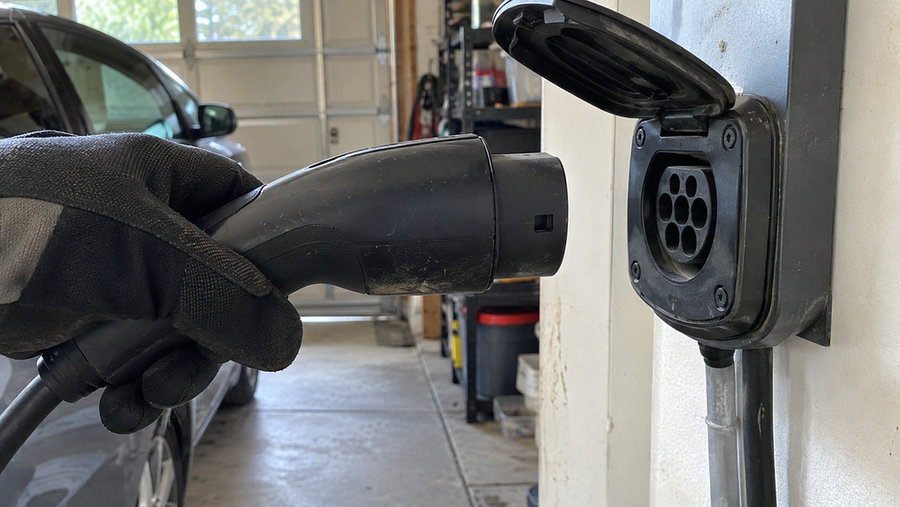
Use the battery status indicator and applicable manual to confirm whether the battery is ready for use, reports a low charge, or shows a fault. Use the lithium-compatible charger specified for the battery and confirm that the charger indicates charging. Do not substitute a charger merely because its plug fits. The golf cart lithium-ion battery safety guidance advises that charging equipment should be listed for the specific cart and battery and that modified or unlisted equipment should be avoided.
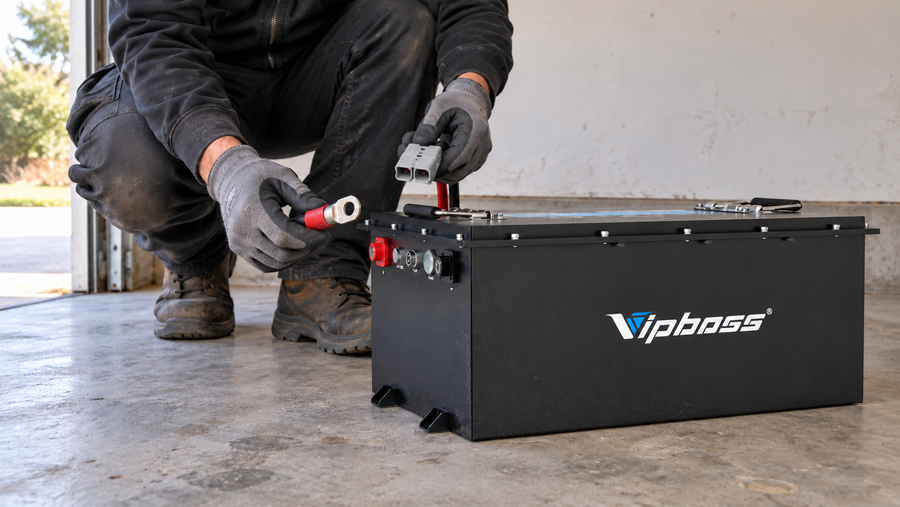
For the Vipboss 48V 150Ah Lithium Golf Cart Battery Conversion Kit, the listed product specifications include a 51.2V, 150Ah LiFePO4 battery, a lithium-compatible charger, an external LCD monitor, and Bluetooth status monitoring. Use those features to check the battery's reported status, but do not treat them as proof that the kit matches every cart or controller.
Inspect the main connections before testing drive power
Turn the battery system off and follow the battery manual's shutdown procedure before touching connections. Inspect the positive and negative cables from the battery to the cart, including lugs, plugs, fuses, and any Anderson connector. Look for a loose fastener, reversed polarity, corrosion, damaged insulation, a cable pulled tight, or a connector that is not fully seated.

Check the main power path against the applicable cart and battery manuals before continuing drive testing. Do not bridge a fuse, bypass a protective device, or place a metal tool across battery terminals.
If the cart has 12V accessories, check their supply and required voltage against the applicable cart and conversion documentation before continuing drive testing.
Check the charger interlock and drive controls
If the cart powers on but will not drive, disconnect the charger from the cart and wall outlet, then use the cart wiring diagram or conversion instructions to check the charge receptacle and charger-interlock condition. Do not bypass wires by trial and error.

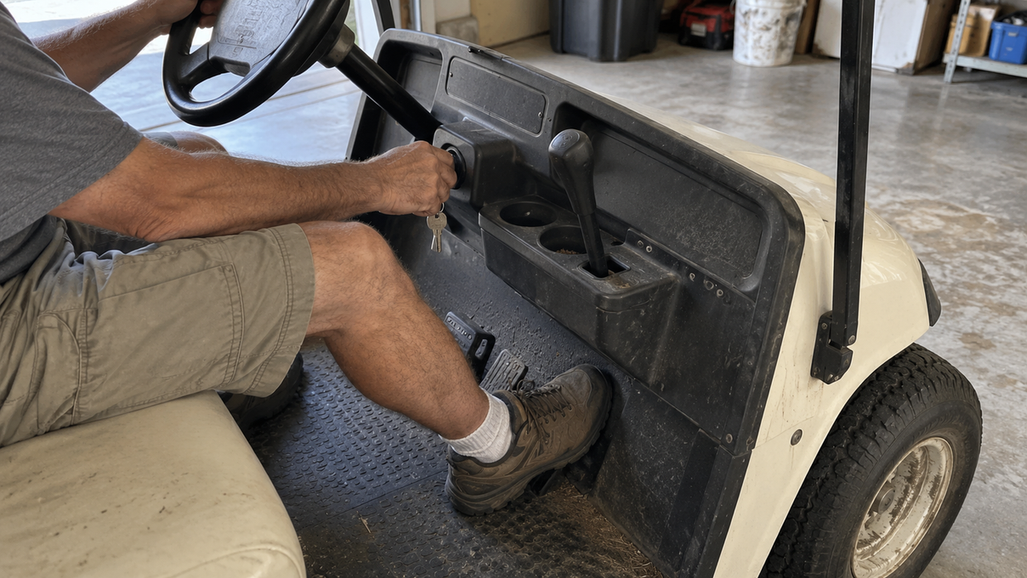
Next use the cart's model-specific service procedure to check the key switch, forward/reverse selector, accelerator microswitch, brake or park interlock, controller fuse, solenoid, and control wiring. If the procedure requires voltage or continuity measurements on a high-current system, have a qualified technician perform them with the battery isolated as required by the service procedure.
Use the observed symptom to select the next section of the applicable manual, without assigning a failed part from the symptom alone:
- No display or no electrical response: start with the battery activation, charge status, and main connections checks.
- Display works but there is no solenoid click: use the cart's service procedure to check the key, direction selector, brake or park interlock, accelerator switch, charger-interlock circuit, and control wiring.
- The solenoid clicks but the motor does not turn: use the service procedure to check the high-current path, controller input, motor connections, and any controller fault indication.
- The cart moves briefly and then stops: check the battery display for a reported fault and follow the applicable manual's procedure for that symptom.
A click or display response is only an observation. Confirm the next measurement or inspection through the cart's model-specific service information.
Confirm the battery and cart are a matched system
Compare the cart's required voltage, controller input range, charger requirements, solenoid or contactor rating, motor requirements, accessory supply, connector arrangement, and battery-compartment fit with the battery and conversion documentation. Use the applicable manuals to determine which requirements apply to the specific cart.
The Vipboss kit is listed as a 51.2V nominal, 150Ah LiFePO4 battery with a 200A maximum continuous discharge rating. Treat that as a product-specific specification, not as a universal compatibility rule. Confirm the cart controller's voltage and current requirements from the applicable documentation before treating the system as matched.
Measure the usable battery compartment, terminal clearance, cable reach, and approved hold-down points in your cart. Follow the applicable product and vehicle documentation for the approved securing and cable-routing method.
If the voltage, controller limit, charger profile, interlock wiring, or mounting method is unknown, do not keep replacing parts at random. Record the cart make, model, year, controller, charger, battery status, and the exact symptom, then use the applicable manuals or request model-specific technical help.
Stop testing when the battery or wiring looks unsafe
If the battery or wiring shows smoke or makes popping sounds, move away from the area and follow the golf cart lithium-ion battery safety guidance together with local emergency procedures, including emergency response where required. Do not continue testing in that condition.