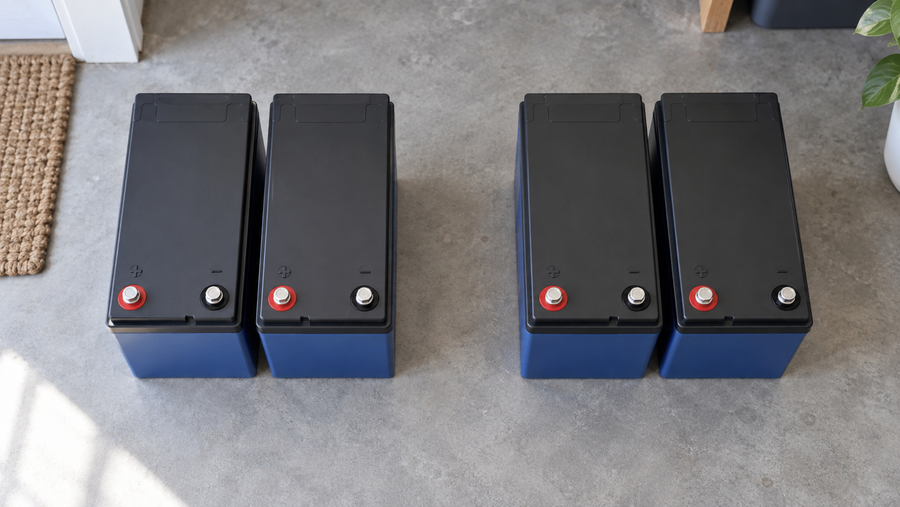

Fish finder freezing, rebooting, or losing bottom is usually a low-voltage problem, not a bad unit. This guide explains how to spot voltage drop and how a properly wired lithium system can keep your sonar locked on.
Ever had your fish finder go blank the moment you hit the trolling motor or crank the main engine, right when you are sliding across a promising hump or brush pile? Anglers who clean up their wiring and battery setup routinely go from random reboots and fuzzy screens to solid images that hold bottom all day. This guide shows how to tell if low power is really to blame, the exact steps to fix voltage drop, and where a lithium upgrade makes the biggest difference instead of just adding cost.
When Glitches Point to Voltage Drop, Not a Bad Unit
Most persistent fish finder issues come down to installation and power, not failed electronics. Experienced sonar tuners see the same pattern repeatedly: units wired through long runs of thin factory wire or crowded switch panels shut off, stutter, or show weak images, while the same model on short, heavy-gauge wiring runs flawlessly on the same lake with the same settings. Professional troubleshooting guides consistently stress that improper wiring and power delivery are the root of most “mysterious” sonar problems, not defective screens or transducers.
One classic symptom is the unit shutting off or rebooting every time you crank the engine. In real-world checks, system voltage can sag from around 12.2 volts down to roughly 5 volts for about a second when a starter pulls a few hundred amps from a marginal battery, which is more than enough to reset most marine electronics even if the battery still starts the motor. Reports of screens going dark during cranking or when an aging battery drops quickly under a modest 1–1.5 amp sonar load are strong clues that available capacity and wiring resistance, not the head unit, are failing you first. Anglers describing almost identical behavior often find that swapping to a healthier or higher-capacity battery makes the shutdowns disappear once everything else checks out on the meter.

Not every bad screen is power related, though. When a display shows streaks, random bands, or a “snowy” background the moment you hit the trolling motor or another big load, electromagnetic interference becomes a prime suspect. Manufacturers explain that electric trolling motors, pumps, radios, and other devices create electromagnetic fields and noise on power and signal cables that can distort sonar, so power and transducer cabling need careful routing and separation from noisy wiring to keep images clean. Garmin’s sonar interference guidance is very clear that cable separation, ferrite chokes, and proper grounding belong in any serious troubleshooting plan alongside voltage checks.
What Voltage Drop Really Is on Your Boat
Voltage drop is simply the amount of voltage you lose between the battery and the fish finder because wires and connections have resistance. Every foot of wire and every slightly corroded crimp or terminal acts like a small restriction, turning some of your electrical energy into heat so the unit sees fewer volts than the battery is actually supplying. Power engineers describe voltage drop in low-voltage systems as wasted energy along the cable that lowers the delivered voltage at the load and causes inefficiency and instability in sensitive electronics. That is especially important on 12-volt circuits where even a small loss is a large percentage of the total. References on low-voltage distribution explain that thinner wire, longer runs, and higher current all increase resistance and drop, and they recommend upsizing conductors or shortening runs to keep delivered voltage within a tight band for reliable operation, particularly in 12-volt applications where every half volt counts, a point echoed in detailed voltage-drop coverage Cence Power.
The basic math is just Ohm’s law: voltage drop equals current times resistance. Practical battery and wiring guides for 12-volt systems use exactly that relationship, emphasizing that you first estimate the current draw and total circuit resistance, then multiply them to find how many volts you are losing along the run. Voltage-drop tutorials aimed at RV and 12-volt users stress how quickly drop grows as you add length or load, and they encourage boaters to use online calculators that factor in wire length, gauge, and current and return the drop as a percentage of system voltage so you can see at a glance whether you are still in the safe zone.
To put numbers on it, imagine your electronics bus has about 0.2 ohm of total resistance from wire length, connectors, and slightly dirty terminals. When your sonar and accessories pull 3 amps, the math says you drop roughly 0.6 volt across that path. On a 12-volt system, that is already about 5 percent of the supply gone before the power even reaches your unit. If your starting point is a half-charged battery at 12.2 volts instead of a fully charged 12.6–12.8 volts, that same resistance pushes the voltage actually seen by the fish finder down into the range where glitches and reboots begin.

How Low Voltage Shows Up on Screen
Standard depth finders and multifunction displays are designed to run best a little above 12 volts. Power tips for high-end sonar rigs explain that once supply voltage falls under about 12 volts at the head unit, blackouts, random resets, and fuzzy images become common, especially when you are running several big graphs and live-sonar modules off the same wiring. The same sources show that with properly sized wiring and batteries, maintaining just over 12 volts under load keeps large clusters of 12-inch and even 16-inch displays running clean and stable all day, underscoring how tight that voltage window really is for modern electronics, as described in detail by Wired2Fish’s marine electronics efficiency tips.
Another giveaway is a unit that looks great in shallow water but loses bottom, stops marking fish, or shows weak, patchy returns in deeper water even though the transducer and settings are correct. In a widely discussed case, a boat running a powerful sounder module and deep-water transducer saw good returns to about 50 feet, but performance fell off hard beyond that while the display stubbornly reported 12.6 volts. Experienced installers pointed out that the important number is voltage at the sounder module, not at the screen, and that longer transmit pulses at depth draw more current. If the wiring feeding the black box is thin or corroded, its voltage sags each time it fires, forcing the module to reduce power and sensitivity. That diagnosis matches examples where improved wiring and direct feeds to the sounder restored deep-water performance even though nominal system voltage looked fine, as described in the discussion of 12.6-volt readings and poor sonar reach on The Hull Truth’s marine-electronics forum.
Then there are the rapid battery sags you can see on a meter. Anglers troubleshooting fish finders that shut down after less than an hour on a supposedly adequate battery have documented setups where a unit that should draw about 1.1 amps pulls the battery down fast enough to trigger shutdown, while the same fish finder on an older but healthier battery only drops from about 12.5 volts to 12.3 volts in half an hour, behavior closer to normal for that load. Forum contributors point out that such rapid voltage decline under a modest draw is a strong indicator of low capacity or internal damage in the “new” battery rather than a misbehaving fish finder, and they often recommend testing with a higher-amp-hour battery before blaming the sonar itself, a pattern you can see in real troubleshooting threads like Bad battery or bad fish finder?.
Step-by-Step: Proving Whether Voltage Drop Is Your Problem
You do not need lab gear to get real answers. A simple digital voltmeter and a bit of method will tell you whether power is guilty or just an accessory to the crime.
Step 1: Check the Battery Itself
Start with the basics. Most 12-volt marine batteries built from six 2-volt cells in series sit around 12.6–12.8 volts at rest when fully charged. Around 11.8–12.2 volts is roughly three-quarters charged, below about 11.8 volts is considered discharged, and below about 11.6 volts is effectively “dead” for practical use. Battery care guides for boats recommend targeting 12.4–12.7 volts at rest, avoiding repeated deep discharges, and treating chronically low readings as a sign the battery is either undercharged or failing. During a cranking test, they caution that voltage should not dip below about 10.5 volts; deeper dips point to weak cells or excessive resistance in the start circuit, which also shows up as dim electronics and unreliable sonar. These thresholds are laid out clearly in marine-battery voltage references such as Polinovel’s battery‑testing primer.
With the boat at rest and all loads off, measure battery voltage. Then turn on your fish finder and any normal accessories you run while fishing and watch the meter. A healthy battery should stay above roughly 12.2–12.4 volts for a while under those loads. If the voltage drops quickly toward the shutdown zone even though the current draw is modest, you are dealing with a capacity or battery-health problem, not just wiring.
Step 2: Compare Battery Voltage to Voltage at the Fish Finder
Next, measure voltage at the battery posts and then at the fish finder’s power leads while the unit is running. The difference between those two readings is your wiring voltage drop. Diagnostic guides for marine electronics recommend this exact test and advise keeping voltage drop under about 3 percent for critical electronics. On a 12-volt system, 3 percent is roughly 0.36 volt, so if your battery is at 12.6 volts and your unit only sees 11.9 volts under normal operation, you have already blown past that rule of thumb.
If the drop is large, you can estimate why using Ohm’s law. Voltage-drop resources for 12-volt installations explain that once you know your approximate current and the wire’s resistance, you can calculate the expected drop and see whether wire size and length are reasonable. They suggest using online calculators that take wire gauge, total run length, and current and return the percentage drop so you can decide whether upsizing wiring or shortening a run will get you under your target limit, exactly the approach recommended in Why voltage drop matters and how to prevent it.
Step 3: Rule Out Noise and Transducer Issues
If voltage at the unit looks good under load but your screen still fills with clutter or loses definition when you hit a motor or pump, power quality rather than raw voltage may be to blame. Sonar-maker support documents remind installers that trolling motors, pumps, radios, and high-current wiring can radiate noise that couples into sonar cables, especially when they are tightly bundled or run parallel over long distances. The fix is usually to reroute sonar and data cables away from noisy harnesses, keep at least several inches of separation where possible, cross power cables at right angles, and sometimes add ferrite beads on transducer cables near the head unit, all steps spelled out in Garmin’s interference troubleshooting guide.
At the same time, a mis-mounted transducer can mimic power problems. Sonar experts regularly find units wired perfectly but bolted onto transom spots where turbulence or rooster tails at speed destroy the signal. Before tearing into power wiring, verify that your transducer is level, not blocked by pods or motor hardware, and placed where water flow is clean at your typical fishing speeds.
How Lithium Batteries Help Fish Finders Stay Locked On
Once wiring and basic battery health are under control, lithium batteries become a powerful tool for keeping voltage high and stable, especially on rigs with many large screens and black-box sounders.
More Usable Power and Cleaner Voltage
The key advantage you can actually feel on the water is that a correctly sized lithium bank holds usable voltage under load much better than a tired, undersized flooded battery. When an angler powers five 12-inch graphs plus a 16-inch display from a pair of 105 amp-hour lithium batteries wired in parallel, the system is being asked to deliver serious current all day, yet that setup maintains the voltage those graphs need because the bank has both sufficient capacity and low internal resistance, as highlighted in the real-world configuration described by Wired2Fish’s electronics-efficiency article. That is exactly the kind of load that quickly drags a single small lead-acid house battery into the glitch zone by midday.
Battery-troubleshooting threads show how even modest loads reveal weak batteries. A fish finder specified to draw about 1.1 amps should barely move voltage on a healthy 12-volt battery over a half-hour test. When voltage instead declines rapidly and the unit shuts off, anglers often discover that the labeled amp-hour rating does not match real capacity anymore. Upgrading to a battery with a higher actual amp-hour rating extends runtime before voltage sags into reset territory; when that higher-capacity battery is a quality lithium pack, the improvement in how long the unit stays above 12 volts under similar use is even more pronounced, as the practical behavior described in threads like Bad battery or bad fish finder? demonstrates.
Designing a Lithium Power System for Electronics
Lithium does not fix bad wiring, so you design the system from the battery outward. Start by separating high-surge loads from sensitive electronics wherever possible. Many fish finder manuals and professional rigging guides recommend feeding sonar from a battery that is not shared with the engine starter to reduce both noise and deep cranking voltage dips, and that advice applies doubly when you retrofit lithium. Think about dedicating a lithium “house” or electronics battery to graphs, sonar modules, live imaging, and networking gear, while leaving the cranking battery to the outboard and starting loads.
From that lithium bank, run a fused distribution block close to the battery with short, heavy-gauge leads. Sonar installation guides and wiring best practices emphasize using tinned marine duplex cable of the correct gauge for both the unit’s draw and the wire run length, stepping up a wire size if there is any doubt. They highlight how higher-gauge numbers like 18 AWG have greater resistance than thicker 10 AWG wire, so long runs of thin cable to the bow can create unnecessary drop even when the battery is strong. High-quality troubleshooting checklists also stress creating vibration-resistant connections using proper crimp tools, marine-grade terminals, and heat-shrink to keep moisture out, and they warn that marginal crimps and stacked ring terminals on small threaded posts are responsible for many intermittent power issues, themes repeated in serious sonar troubleshooting guides and echoed by practical wiring advice in Wired2Fish’s electronics power tips.
Sizing the lithium bank comes next. Add up the published current draw of each graph, sonar module, and accessory you intend to power, then multiply by the number of hours you expect to run them without charging. That product is your rough amp-hour requirement, which you should pad with a safety margin so voltage stays comfortably above the fish finder’s minimum even late in the day. The big-rig example with two 105 amp-hour lithium batteries supporting six big screens shows how generous capacity delivers stable power and plenty of headroom for growth.
Fixing Voltage Drop: Wiring Upgrades That Deliver Immediate Results
If you are not ready to invest in lithium yet, smart wiring changes alone can transform a glitchy system into a dependable tool.
Wire Gauge, Run Length, and Connections
Voltage-drop explanations aimed at marine electronics all agree that wire size is the dominant factor in line loss: thinner, higher-gauge wire has higher resistance and therefore higher drop for a given length and current than thicker, lower-gauge wire. That means a long run of 18 AWG cable to a bow unit carrying several amps will naturally lose more voltage than a shorter run of 10 or 12 AWG, even if every connection is perfect. Many guides recommend selecting wire gauge using charts that factor in both current and the total round-trip length, then stepping up one size as “cheap insurance” in low-voltage systems where small drops matter, an approach that lines up with the general recommendations in Cence Power’s overview of voltage drop and cable sizing.
But even the right wire will not save you from bad terminations. Marine wiring specialists emphasize that loose, corroded, or poorly crimped connectors behave like little resistors sprinkled through the system, often contributing as much drop as undersized wire. Their fix is straightforward: use marine-grade connectors, crimp them with a proper tool, pull-test every crimp, and seal exposed joints with heat-shrink tubing to keep corrosion at bay. Regularly cleaning battery posts and tightening terminals is a low-cost, high-impact habit that pays off in both starting reliability and stable sonar power, which battery health references like Polinovel’s marine voltage guide also stress.
Separating Noisy Loads from Sensitive Sonar
Once your wiring is robust, layout becomes the next weapon against glitches. Sonar support documents are adamant that power and transducer cables should be routed away from trolling-motor leads, high-current pump and winch wiring, and RF coax wherever possible. They suggest keeping several inches of separation, avoiding long parallel runs, and crossing unavoidable intersections at right angles to reduce coupling, as outlined in Garmin’s recommendations for avoiding sonar interference. On small boats, even shifting a transducer cable off a trolling-motor shaft or separating a power harness from a trolling battery bank can noticeably clean up the screen.
Power segregation also helps. Depth-finder troubleshooting threads are full of cases where simply moving sonar power from a crowded switch-panel feed to a dedicated, fused pair of heavy-gauge wires direct from the battery eliminates shutdowns during cranking and clears up random resets. Experienced riggers often go further and dedicate a separate electronics battery so that cranking loads and livewells cannot pull voltage down just as you are scanning for fish. That same logic carries naturally into lithium retrofits: let your lithium bank feed the electronics with clean, stable power, and keep engine and starting duties on their own battery so the two jobs never fight each other.

Quick Symptom Guide: Is It Voltage Drop?
A compact way to tie this together is to match what you see on screen to the most likely power issue and a simple test you can run right now.
Symptom on water |
Likely power issue |
Simple test to confirm |
Unit shuts off or reboots when you start the engine |
Cranking voltage sag at the battery and through wiring |
Watch a meter at the battery and at the unit while cranking; if voltage dips below roughly 10.5 volts at either point, battery capacity or cable resistance is too low for the starter and electronics together, as marine battery references like Polinovel’s guide make clear. |
Screen flickers or fills with lines when you hit the trolling motor |
Noise or drop on shared wiring and close-coupled cables |
Temporarily power the unit directly from a separate battery with short leads; if the problem disappears, reroute and separate power and transducer cables following interference-avoidance steps from Garmin’s sonar guidance. |
Sonar loses bottom in deeper water but looks fine shallow |
Voltage drop or noise at the sounder module under heavy transmit load |
Measure voltage at the sounder or main unit while running deep-water modes; if it is significantly lower than at the battery, treat wiring to the sounder like a critical feed and upsize wire and clean connections as highlighted in the 12.6-volt troubleshooting example on The Hull Truth’s electronics forum. |
FAQ: Fast Answers Before You Start Rewiring
Do you need lithium to fix a glitchy fish finder?
In many cases, no. Cleaning up wiring, upsizing cable to reduce drop, and fixing weak or undersized lead-acid batteries solve most shutdowns and image problems. Lithium really shines once you have good wiring and you either run many large screens or want long runtime without worrying about voltage sag; then the combination of higher usable capacity and low internal resistance provides the stable voltage your sonar needs, as heavy-load examples in Wired2Fish’s power tips illustrate.
Should a fish finder be powered from the cranking battery?
Ideally, sensitive electronics have their own clean power source so starter surges and engine charging behavior cannot drag voltage down or inject noise. On smaller rigs with one battery, you can share the cranking battery if it has enough capacity and you feed the finder with its own fused, heavy-gauge pair directly from the posts, but separating electronics onto a dedicated house or lithium battery and keeping wiring short, large, and clean is a clear upgrade in reliability.
What single upgrade gives the biggest improvement in most boats?
Running a dedicated, properly sized power harness straight from a healthy battery to your electronics usually delivers the biggest win for time and money. Moving off aging factory harnesses and crowded switch panels to short, heavy-gauge cable, quality connectors, and a clean fuse block often raises unit voltage under load, quiets noise, and makes later lithium upgrades pay off more because the wiring is ready to deliver the performance the new battery can supply.
Dial in your wiring, give your sonar a clean power path, and then let a well-sized lithium bank carry the load; once voltage drop is under control, your fish finder stops glitching and starts doing what you bought it for—showing you exactly where to put the next cast.