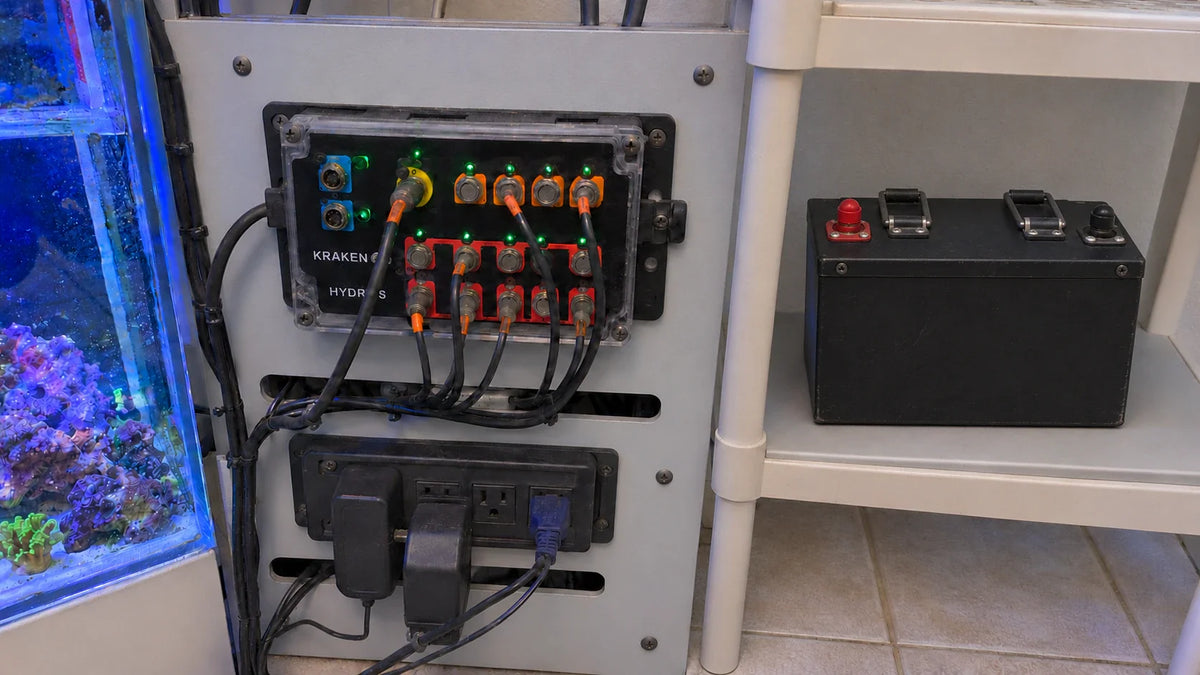

Yes. HYDROS permits LiFePO4 use with the Kraken if you disable its built-in charger before connecting the battery, use a LiFePO4 battery with a built-in battery management system (BMS), and keep the load at or below 10A while the Kraken runs on battery. The documented procedure is specific to the Kraken arrangement described in its FAQ; it does not establish coverage for every hardware revision or battery connection path.
Why the built-in charger must be disabled
The Kraken’s default charging arrangement is designed for sealed lead-acid (SLA) or AGM batteries. Lead-acid and LiFePO4 batteries use different charging approaches, so the internal charger must be disabled before connecting a LiFePO4 battery. The battery must also have a built-in BMS. These are separate conditions: the BMS is part of the battery, while disabling the Kraken’s charger changes its internal charging arrangement. The Kraken FAQ describes these LiFePO4 requirements.
Disable the charger in this order:
- Disconnect the battery if one is connected.
- Completely disconnect the Kraken from its power supply.
- Remove the lid. Three wires connect the lid to the body, so carefully turn it to the side.
- Locate JP3 and JP4, remove both jumpers, then place each jumper back so it connects to only one pin.
- Reinstall the lid and its screws without overtightening.
- Reconnect the Kraken to its power supply. Connect the LiFePO4 battery only after the charger has been disabled.
The Kraken’s internal charger and an external charger are different things. Disabling the internal charger does not specify how to charge the battery separately, and the FAQ gives no external-charger model or settings. Use charging guidance that applies to the actual battery. For separate charger-selection context, see this LiFePO4 charger guide.
Keep battery-mode load within 10A
The Kraken’s documented maximum load while running on battery power is 10A. This is the load limit for the Kraken in battery mode, not the battery’s capacity in amp-hours or a rating for other equipment. Keep the connected Kraken load within that limit. The Kraken FAQ states the battery-mode maximum.

Configure Low Power for an outage
Low Power mode determines which HYDROS outputs and schedules continue during battery operation. Choose the outputs and schedules that should remain active, then assign Low Power mode in the HYDROS Options menu. Connecting a battery alone does not select which outputs keep running. HYDROS Low Power instructions explain output selection and assignment.
Test the configuration by simulating an outage and observing which outputs run. If they do not match the intended setup, adjust the selected outputs or schedules and repeat the test. This configuration guidance applies to HYDROS, not other backup devices.
Check whether the procedure matches your Kraken
The FAQ documents a LiFePO4 battery used with the Kraken after the internal charger is disabled. Its charger-disable procedure specifies disconnecting the battery if connected and disconnecting Kraken power before opening the lid, then removing JP3 and JP4 and parking each jumper on one pin. That identifies the documented charger arrangement; it does not identify hardware revisions or describe which alternate battery connection paths are covered.
Compare your unit and battery connection with the Kraken arrangement to which those instructions apply. The FAQ does not provide a revision-identification method or enough information to establish that a different connection path is covered. If you cannot match your unit and connection to the documented arrangement, applicability remains undetermined; do not assume the jumper procedure applies to that configuration or transfer it to another backup box.
FAQs
Can you use a LiFePO4 battery with the HYDROS Kraken?
Yes, under the documented Kraken conditions: disable its internal charger before connecting the battery, use a LiFePO4 battery with a built-in BMS, and keep the battery-mode load at or below 10A.
What is the HYDROS Kraken’s maximum load when running on battery power?
The documented maximum load is 10A while the Kraken is running on battery power.