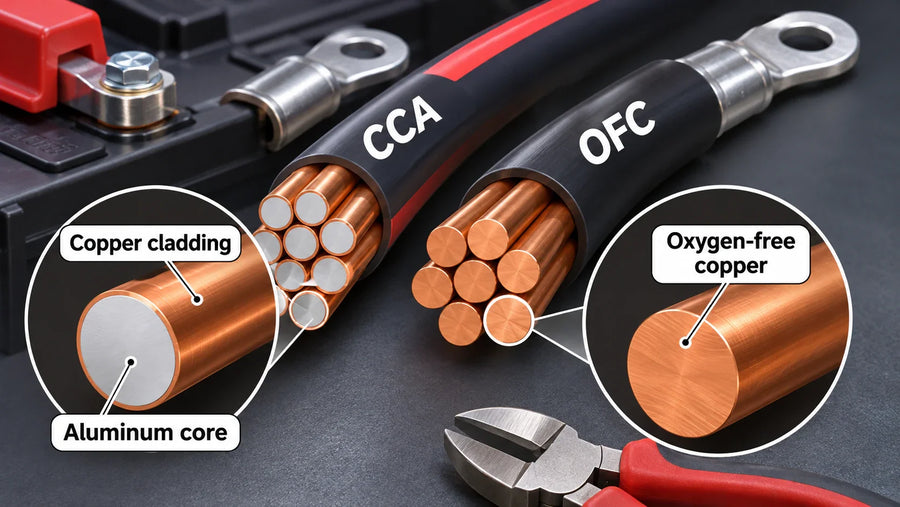
Before connecting anything, switch the cart off, disconnect the charger, and confirm that the battery pack voltage matches the cart. Connect the cart's positive cable to the battery's positive terminal and the negative cable to the negative terminal. Stop if the polarity, voltage, cable fit, or battery condition is unclear; verify the battery manual or use a qualified technician before energizing the cart.
Check the cart and battery before connecting
Park the cart on a level surface, set the parking brake, remove the key, and keep the charger disconnected. Keep metal jewelry and loose conductive objects away from the terminals. Use insulated tools, and do not work on a battery that is cracked, swollen, leaking, unusually hot, or otherwise damaged. Lithium batteries can retain significant energy after disconnection, so follow the battery and cart manuals for isolation procedures. Texas Department of Insurance battery safety guidance recommends consulting manufacturer instructions and using insulated tools when working with electric-vehicle batteries. MIT's lithium-ion safety guidance also warns against reverse polarity, short circuits, physical damage, and incompatible charging methods.
Confirm these points before touching a cable:
- The battery pack voltage matches the cart. This guide's example is a 36V cart and a 36V lithium battery.
- The positive and negative terminals are clearly marked.
- Cable lugs and connector parts are clean, undamaged, and sized for the battery terminals.
- The battery is secured in its intended position, with cables protected from pinching and sharp edges.
- The charger is compatible with the lithium battery system.
Connect the positive and negative cables

- Identify the cart's main positive cable and the battery's positive terminal. The positive terminal is marked
+; do not rely on cable color alone. - Place the positive cable lug flat on the positive terminal. Keep the tool from touching the negative terminal or any other conductive metal.
- Identify the cart's main negative cable and the battery's negative terminal, marked
-. - Place the negative cable lug flat on the negative terminal.
- Tighten both terminal connections to the torque specified by the battery manual. Do not guess a torque value or overtighten the terminal.
- Connect any charger, monitor, connector, or accessory lead only where the battery and cart manuals specify. Do not connect a 12V accessory directly to a 36V pack unless the system explicitly provides the required voltage reduction.
Inspect the connection before powering the cart
Check that each lug is flat, each fastener is secure, and no bare conductor can touch the opposite terminal or the cart frame. Make sure cables are not stretched, crushed, sharply bent, or trapped under the battery. Recheck positive-to-positive and negative-to-negative before reconnecting the charger or switching on the cart.

If the cart does not power up, shows an error, or the monitor gives an unexpected reading, disconnect the system and return to the manual's troubleshooting steps. Do not repeatedly reconnect a suspected wrong-polarity or incompatible setup. If the battery becomes hot, changes shape, smells unusual, or behaves abnormally, disconnect it only if you can do so without contact with a damaged component, move away from the area, and seek qualified help.
If you are converting a compatible 36V cart
If your existing battery bank, charger, or connection hardware is being replaced as part of a 36V lithium conversion, using a package with matched components can reduce the number of separate fit checks. The Vipboss 36V 105Ah Lithium Golf Cart Battery Conversion Kit includes a battery, charger, cables, connector parts, and a monitor for that type of conversion. Before ordering, compare its current documentation with your cart's voltage, terminal layout, battery compartment, and charge-port arrangement.
A correct connection is one that matches the cart voltage, preserves polarity, uses sound cables and terminals, follows the specified tightening requirements, and works with the compatible charger and monitoring hardware. A kit can provide the needed parts, but it does not replace those checks or the installation instructions for your specific cart.