
A 10-hour Christmas movie marathon typically uses about 1–2 kilowatt-hours on a big screen, but smart choices in devices, settings, and battery capacity can cut that draw dramatically without dimming the holiday magic.
Snow piling up outside, cocoa on the table, and ten hours of Christmas favorites queued up is exactly when you do not want your TV to go dark because the battery bank or backup power was undersized. Real power measurements on streaming setups show that swapping a single device or changing one setting can swing energy use by more than a factor of ten between worst and best cases. The goal is simple: understand what your marathon really costs in power, then design your off-grid or backup system so the only cliffhanger is in the movie, not in your battery gauge.
Why a 10-Hour Christmas Binge Has a Bigger Footprint Than You Think
Every time you hit play, electricity flows in two places: into your TV, router, and streaming box at home, and into the data centers and networks that move those movies across the internet. Analyses of streaming infrastructure show that the data centers and transmission networks that push video around the world already account for about 1% of global energy-related greenhouse-gas emissions, and broader data centers plus networks together are close to 2%, putting them in the same league as aviation in climate impact green streaming overview digital carbon footprint. The International Energy Agency has estimated that an hour of streaming produces only a few dozen grams of CO₂, similar to driving a conventional gasoline car a very short distance, but multiplied by billions of hours the total becomes a significant streaming video footprint.
At the home level, though, most of what you feel in your battery bank and on your bill comes from the screen and the box or console feeding it, not from the faraway servers. Utility and industry testing consistently finds that game consoles used as streaming boxes can draw many times more power than dedicated streaming sticks, and that efficient tablets and smart TVs can deliver the same show for a fraction of the electricity of older TVs and desktops (gamer energy savings). That is why a “small” entertainment decision, like using a console instead of a streaming stick, can make or break a long off-grid movie night.
Step 1: Know What You Are Powering for 10 Hours
For a Christmas marathon, you are really powering a small ecosystem, not just a single screen. Think in terms of four main pieces: the display, the streaming device, the network gear, and the room environment.
Screen and Streaming Device Choices
The display is usually the biggest draw. A large TV will consume far more power than a tablet, and a desktop computer running a monitor and tower often uses even more. Measurements from energy programs show that efficient tablets can use about four times less energy than laptops, and up to about fifteen times less than desktops, to deliver the same stream. Smart TVs with built-in streaming tend to be among the most efficient big-screen choices, especially compared with older televisions paired with heavy set-top boxes.
How you get the stream to that screen matters just as much. Dedicated streaming devices like Roku or Fire TV typically sip power, while game consoles are designed for high-performance graphics and draw much more. Utility tests report that consoles can use up to about fifteen times more power than a small streaming device when used just for video (gamer energy savings). In real homes that have been audited, simply shifting long streaming sessions from a console to a streaming stick has turned an anxious three-hour battery window into a relaxed all-evening runtime, with no change in picture quality.
A simple way to visualize the difference is to compare setups side by side.
Viewing setup |
Relative power for streaming* |
What it means for a 10-hour marathon |
Tablet (efficient) |
Around 4× less energy than a laptop and about 15× less than a desktop |
Very light load; even modest batteries handle ten hours well. |
Smart TV + streaming stick |
Smart TVs can be up to 30× more efficient than some legacy TV plus box combos |
Comfortable big screen without brutal battery drain. |
Game console used as streamer |
Up to about 15× more power than a streaming stick for the same show |
Power hog; ten hours can chew through much of a small battery bank. |
*Relative figures summarized from utility and energy-efficiency testing.
For off-grid or backup design, the practical takeaway is direct: if your battery capacity is tight, move the marathon onto a smart TV plus streaming stick or even a tablet, and reserve the console for gaming.

Network Gear, Lights, and “Always-On” Extras
Routers and modems quietly draw power twenty-four hours a day. Their individual wattage is modest compared with a TV, but over ten hours it adds up. In addition, string lights, soundbars, and set-top boxes left idling in the cabinet can all nibble at your battery. Studies of “phantom energy” show that small always-on electronics can add up to meaningful annual consumption if they are never truly off (gamer energy savings).
You do not need to obsess over every wall wart for one movie night, but it is worth asking which devices actually need to be on. A single efficient router, one streaming box, the TV, and a few LED lamps are essential. An idle console, an extra set-top box, and bright overhead lighting are optional luxuries that cost you runtime.
Step 2: Turn Device Watts into Battery and Generator Needs
Once you know what will be on, you can translate the setup into hard numbers. The key ideas are simple: power is measured in watts, and energy use over time is watts multiplied by hours, usually expressed in watt-hours or kilowatt-hours.
Start by reading the labels. On the back of your TV, streaming stick power brick, router, and any sound system, look for “W” or “Watts” on the nameplate or in the manual. Write each number down, then add them to get your total streaming load.
Imagine this example for a cozy Christmas marathon:
Your smart TV nameplate lists 110 W, your streaming stick is rated at 5 W, your Wi-Fi router at 10 W, and your living room’s LED holiday string lights at 25 W. Put them together and your streaming setup draws about 150 W when everything is on. Run that for ten hours and you use 1,500 watt-hours, or 1.5 kilowatt-hours.
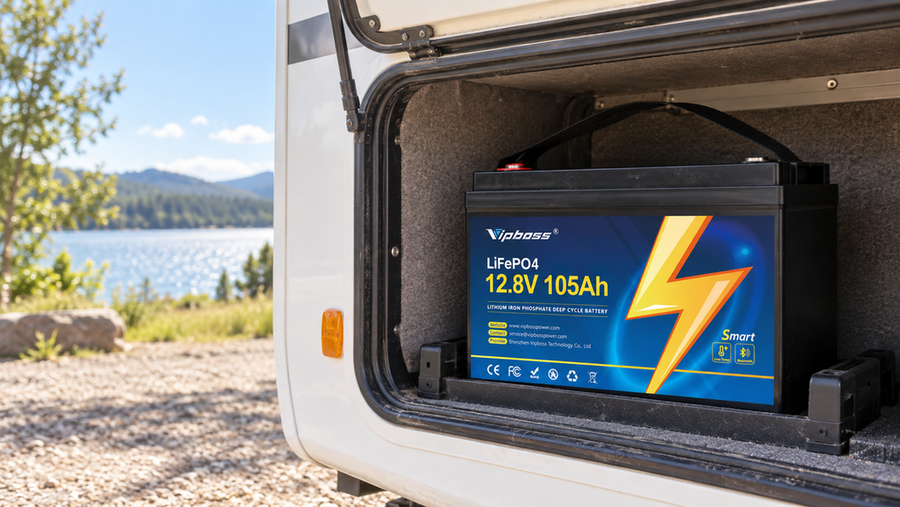
Now compare that to your battery. Suppose your lithium battery bank is labeled 2,400 Wh and the manufacturer states that 80% of that is usable energy to protect battery life. That gives you 1,920 Wh usable. Subtract the 1,500 Wh for the movie marathon and you have about 420 Wh left for things like your internet modem, control gear, and small standby loads. If your home has a fridge, furnace fan, or other heavier loads on the same battery, you would factor those in as well and quickly see whether a ten-hour binge is comfortable or risky.
The same math works in reverse if you are planning a retrofit. If you want your marathon to consume no more than, say, 1,000 Wh of your storage so you have margin for a cold night, you can work back from that target. Divide your energy budget (1,000 Wh) by the marathon length (10 hours) and you get 100 W as your target average streaming load. That quickly tells you that a 150 W big-screen setup from the earlier example is too heavy and that shifting to a smaller screen or more efficient devices will bring you back into budget.
Sample Comparison: Smart TV vs. Tablet Marathon
To see how device choice reshapes the numbers, take a second example using the same network and lighting but a different screen.
Keep the router at 10 W and the LED string lights at 25 W. Replace the 110 W TV plus 5 W streaming stick with a 10 W tablet on a stand. The total now is 10 + 25 + 10 = 45 W. Over ten hours, that is 450 Wh, less than one-third of the earlier 1,500 Wh example.
On the same 2,400 Wh battery with 1,920 Wh usable capacity, that 450 Wh marathon leaves you with 1,470 Wh of headroom instead of 420 Wh. For many cabins and off-grid homes, that difference is the line between running a small electric heater or circulation fan overnight and shutting things down early.
In field projects, this simple swap—granting the big screen to shorter sessions and using tablets for multi-movie marathons—has been one of the most reliable ways to keep lithium banks from dipping into uncomfortable depths of discharge on winter nights.

Step 3: Trim the Load Without Sacrificing Holiday Comfort
Once you have the basic numbers, the next job is tuning. You can often cut the streaming power draw by half or more without feeling like you are “roughing it.”
Smart Settings for Picture and Sound
Room lighting and screen brightness are quietly powerful levers. Tests on modern TVs show that dimming the room and letting the set lower its brightness can reduce display energy use by up to about 50%, while very bright rooms can cause TV power use to nearly triple compared with a darkened space ways to reduce streaming energy. For a marathon, that means turning off overhead lights, using a couple of warm, low-watt lamps, and enabling energy-saving or Eco modes on the TV. You get a cozier “home theater” feel and extend your battery runtime in one move.
Audio choices matter, too. When everyone is actively watching, keep the soundbar on. When the marathon turns into background noise while you cook or wrap gifts, switching to audio-only playback on a smaller device, or even pausing the video and running a holiday music playlist instead, turns off the most power-hungry part of the setup: the big screen. Sustainability research on streaming highlights audio-only modes as one of the simplest ways to reduce energy use because displays dominate device consumption (ways to reduce streaming energy).
Picture quality is another gentle knob. Studies of encoding and delivery show that high-definition and 4K streams require far more data and processing than standard definition, while modern codecs and bitrate ladders can cut data volume by around half at similar perceived quality (green streaming overview eco‑friendly streaming). On a smaller screen or when people are half-watching, stepping down one resolution level and avoiding “maximum” quality settings is often invisible to the eye but clearly visible in your power budget.
Finally, disable auto-play and “next episode” countdowns before the marathon. Green streaming experts point out that auto-play can silently add hours of extra content and the associated energy use without anyone really choosing it (green streaming overview). For an intentional ten-hour event, decide up front which movies make the cut, then hit stop when you are done.
Smarter Networking for Stable, Efficient Streaming
From a power perspective, you want streams that start quickly and run smoothly. Buffering loops waste your patience and can provoke extra device work and repeated playbacks. Networking guides agree that when possible, anchoring your main streaming device on a wired Ethernet connection is one of the best ways to stabilize long sessions, especially at higher resolutions (buffering fixes live streaming quality). For a winter movie night, that might mean running one clean Ethernet cable from your router to the TV or streaming stick while the rest of the house stays on Wi-Fi.

Router placement and interference also matter. Keeping the router off the floor, away from thick walls and cordless-phone bases, and as central as possible helps keep signal strength high and reduces retries and stutters (live streaming quality). If your cabin or home is large, a mesh Wi-Fi system or a strategically placed extender can ensure the streaming corner gets a strong, steady signal. Although these changes are mostly about quality, in practice they prevent waste: fewer reboots, fewer repeated buffering attempts, and fewer temptations to restart a movie that glitched halfway through.
Step 4: Connect Your Living Room to the Bigger Energy Picture
Designing a Christmas movie marathon that your battery can handle is not only about personal comfort; it is also part of a broader shift toward cleaner streaming. Analyses of digital systems suggest that information and communication technologies, including streaming, contribute on the order of one and a half percent of global carbon emissions, and they are growing fast (streaming video footprint). Data centers and networks carry a footprint comparable to aviation, and they also draw heavily on water and land in many regions (digital carbon footprint).
On the provider side, there is real momentum. Some streaming and cloud platforms are replacing legacy servers with modern, energy-efficient processors that can cut power use for streaming workloads by up to about 80% compared with older systems, directly shrinking the emissions tied to each hour you watch energy‑efficient streaming. Others are investing in renewable energy for their data centers and improving cooling and compression so that each bit of video consumes less electricity (green streaming overview).
What does that mean for your living room? When you pair an efficient end-user setup—right-sized screen, efficient device, good brightness and auto-play habits—with providers that are cleaning up their infrastructure, the impact compounds. Some analyses of live streaming pipelines suggest that as much as 90% of total “glass-to-glass” energy use can sit in the end-user environment, not the cloud, which means your device and behavior choices are often the biggest lever you control (eco‑friendly streaming). A Christmas marathon powered by a well-planned lithium battery bank and efficient streaming gear is more than a comfort upgrade; it is a small but real contribution to easing stress on the wider grid during winter peaks.
FAQ: Power-Smart Christmas Marathons
Is streaming or heating the bigger load on a winter night?
In most homes, space heating dwarfs entertainment loads, especially if you use electric resistance heaters or heat pumps. For off-grid or backup systems that rely on wood, propane, or another fuel for heat, the streaming setup becomes one of the larger electrical draws alongside fridges and fans. A ten-hour marathon on a modestly sized smart TV often lands around 1–2 kWh in the kinds of examples discussed here, while running a small space heater for the same time can easily use several times that amount. The key is to separate thermal loads (heat) from electrical entertainment loads and ensure your battery and generator plan covers both.
Is it worth upgrading my TV just to save streaming energy?
It depends on how inefficient your current set is and how carbon-intensive your local grid is. Sustainability tests show that replacing a very inefficient, power-hungry screen with a much more efficient one in a fossil-fuel-heavy region can deliver immediate net environmental benefits and lower total energy use (ways to reduce streaming energy). On the other hand, if your existing TV is already reasonably efficient and your electricity is largely renewable, the manufacturing footprint of a new device may outweigh the small incremental savings. From a battery-sizing standpoint, though, if your current TV is so hungry that it makes a ten-hour marathon impossible without over-building your storage, upgrading to an efficient smart TV can be a smart move.
Does downloading movies help if I am off-grid?
Yes, especially when your internet link is weak or metered. Green streaming research highlights downloads and offline viewing as a key tactic to avoid repeated high-bitrate streams and to smooth out network peaks (green streaming overview). For an off-grid home or cabin, downloading content while the sun is up and panels are charging your batteries, then watching from local storage at night, shifts work away from your most constrained hours. It will not change the power draw of your screen, but it can reduce the risk of rebuffering, router reboots, and extra device runtime as the system struggles with a poor connection.
A Christmas movie marathon does not have to be a gamble with your battery bank. When you think like a power-upgrade specialist—choosing the right screen and streamer, doing a quick watt-hour check, and dialing in a few smart settings—you turn those ten festive hours into a predictable, low-stress load that your lithium storage can handle year after year.